DIAL-UP DATA -------------------------------------------------------------------------------------------------- WINDOWS NT 4.0 SETUP
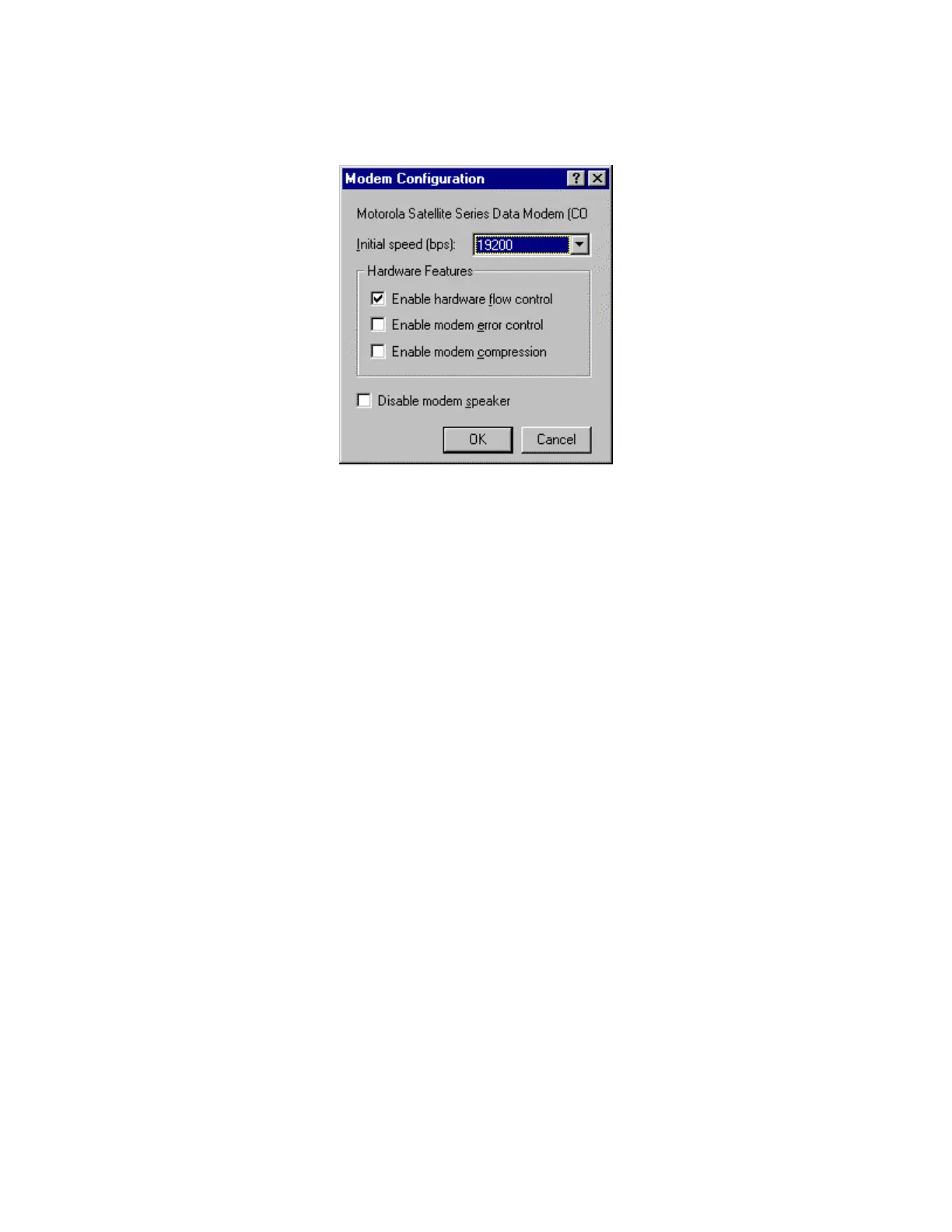
4. Verify the proper settings according to the window below. Click OK to save any changes.
Upon returning to the New Phonebook Entry window, click OK.
5. Close the Dial-Up Networking window.
6. You have now completed the configuration of Dial-Up Networking. To connect your hardware
and initiate a dial-up data call, continue with section 4.
Iridium Satellite LLC 22 Rev. 4; February 1, 2002



 To Next Page