DIAL-UP DATA -----------------------------------------------------------------------------------------------------WINDOWS 2000 SETUP
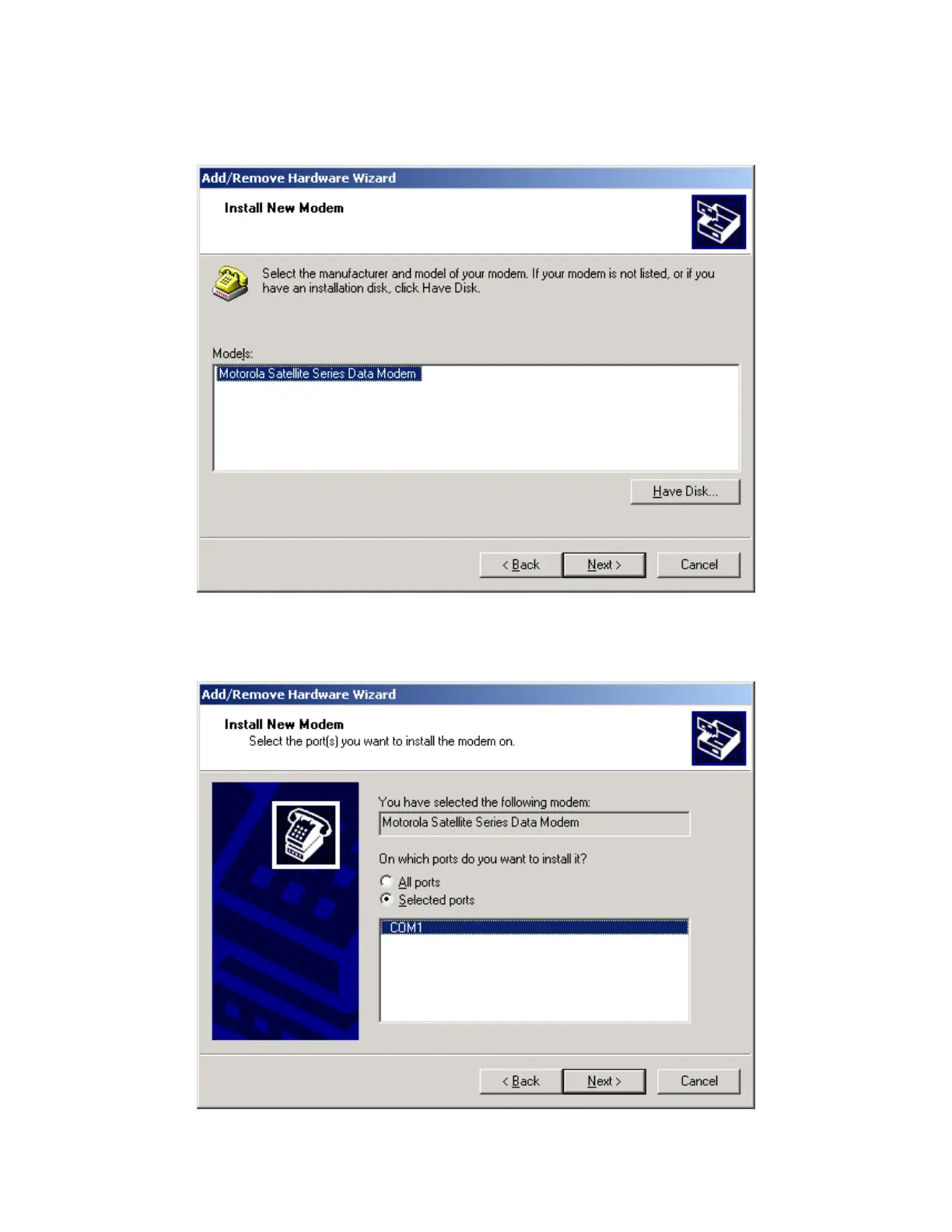
9. In the Install New Modem window, select the Motorola Satellite Series Data Modem and click
Next >.
10. Click the “Selected ports” radio button, and select an available Communications Port (or
COM Port) on which to install the modem (e.g., COM1). This is the port to which you will
connect your Iridium phone. Click Next >.
Iridium Satellite LLC 26 Rev. 4; February 1, 2002



 To Next Page