DIAL-UP DATA ---------------------------------------------------------------------------------------------- WINDOWS 95/98/Me SETUP
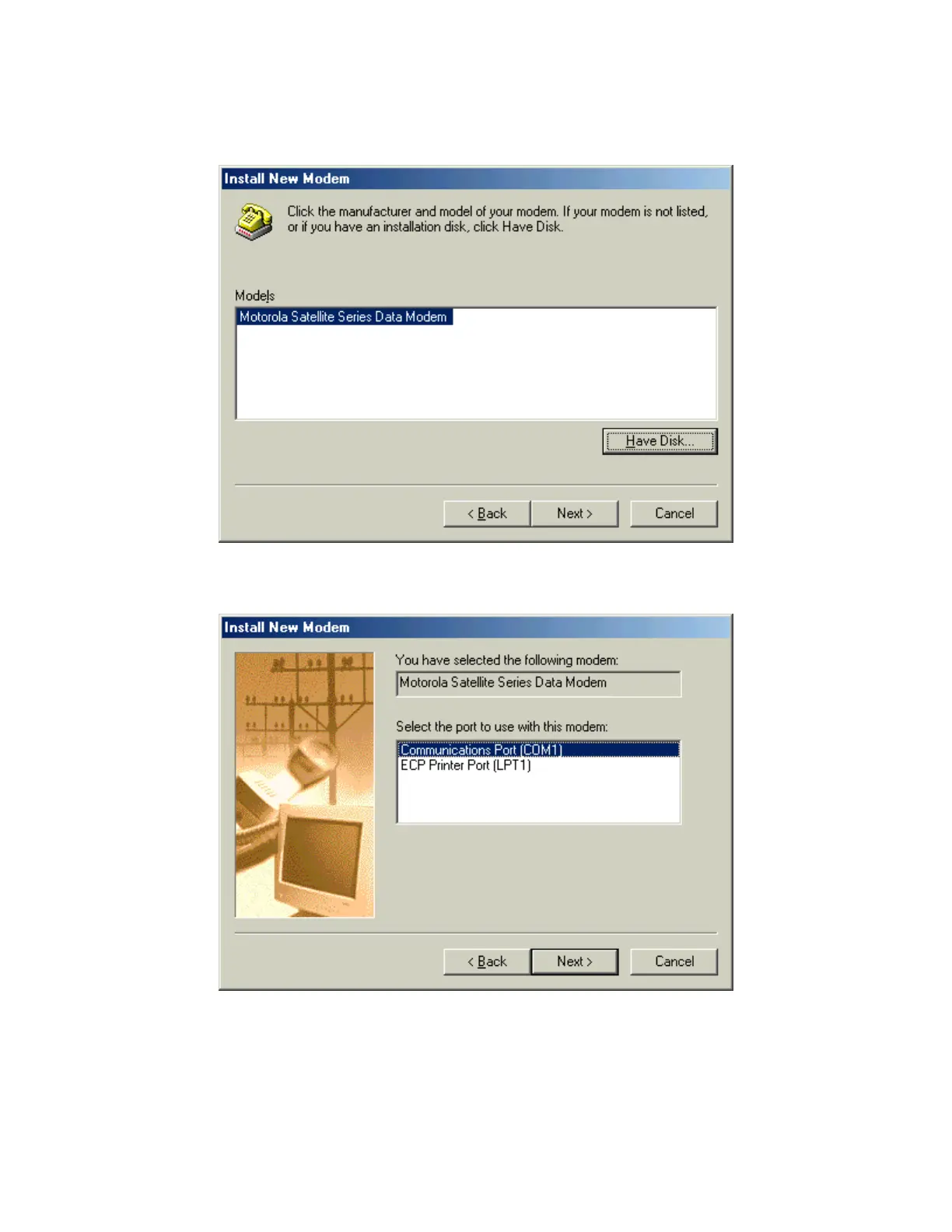
10. In the Install New Modem window, select the Motorola Satellite Series Data Modem and click
Next >.
11. Select an available Communications Port (or COM Port) on which to install the modem (e.g.,
COM1), and click Next >. This is the port to which you will connect your Iridium phone.
Iridium Satellite LLC 9 Rev. 4; February 1, 2002



 To Next Page