17
Description Phase
2
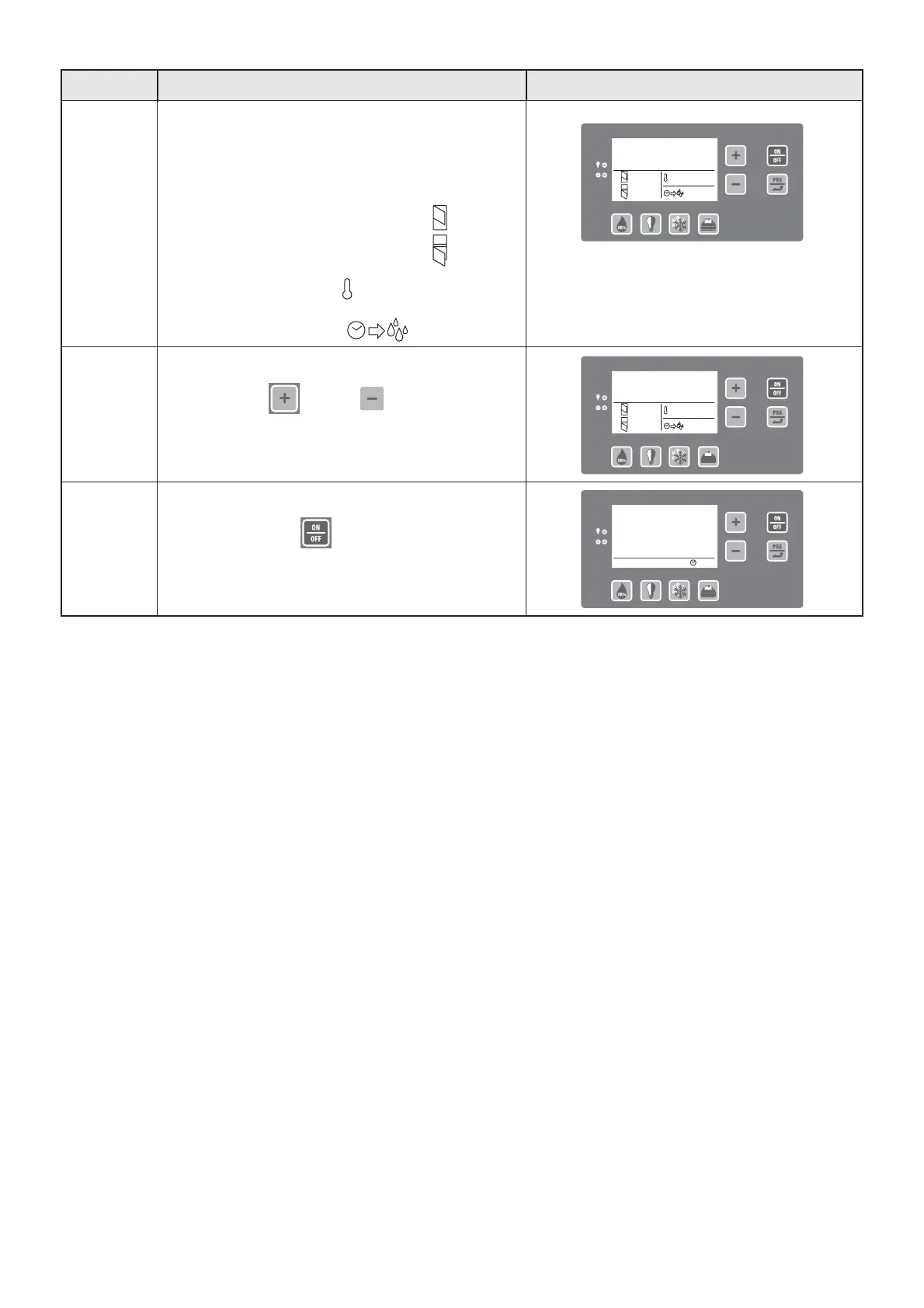
Start of machine operation
The display shows:
- cell temperature;
- number of door openings
(at 24:00 each day, the count of
openings is reset);
- set temperature;
- time of next automatic
defrost.
Front panel screen
3
Modify set temperature
Press keys P5 and P6 to modify the
previously set temperature.
If the data is not modified within 3 seconds,
it is automatically memorized.
4
End of conservation cycle
If you press key P7 , the machine will end
the conservation cycle and enter standby mode.
SET : -20°C
: 12.00
No.: 12
No.: 12
-0,4°F
SET : -20°C
: 12.00
No.: 12
No.: 12
-0,4°F
SET : - 4°F
-0,4°F
: 12.00
No.: 12
No.: 12
OFF
27.07.2007 10.35


 To Next Page