16
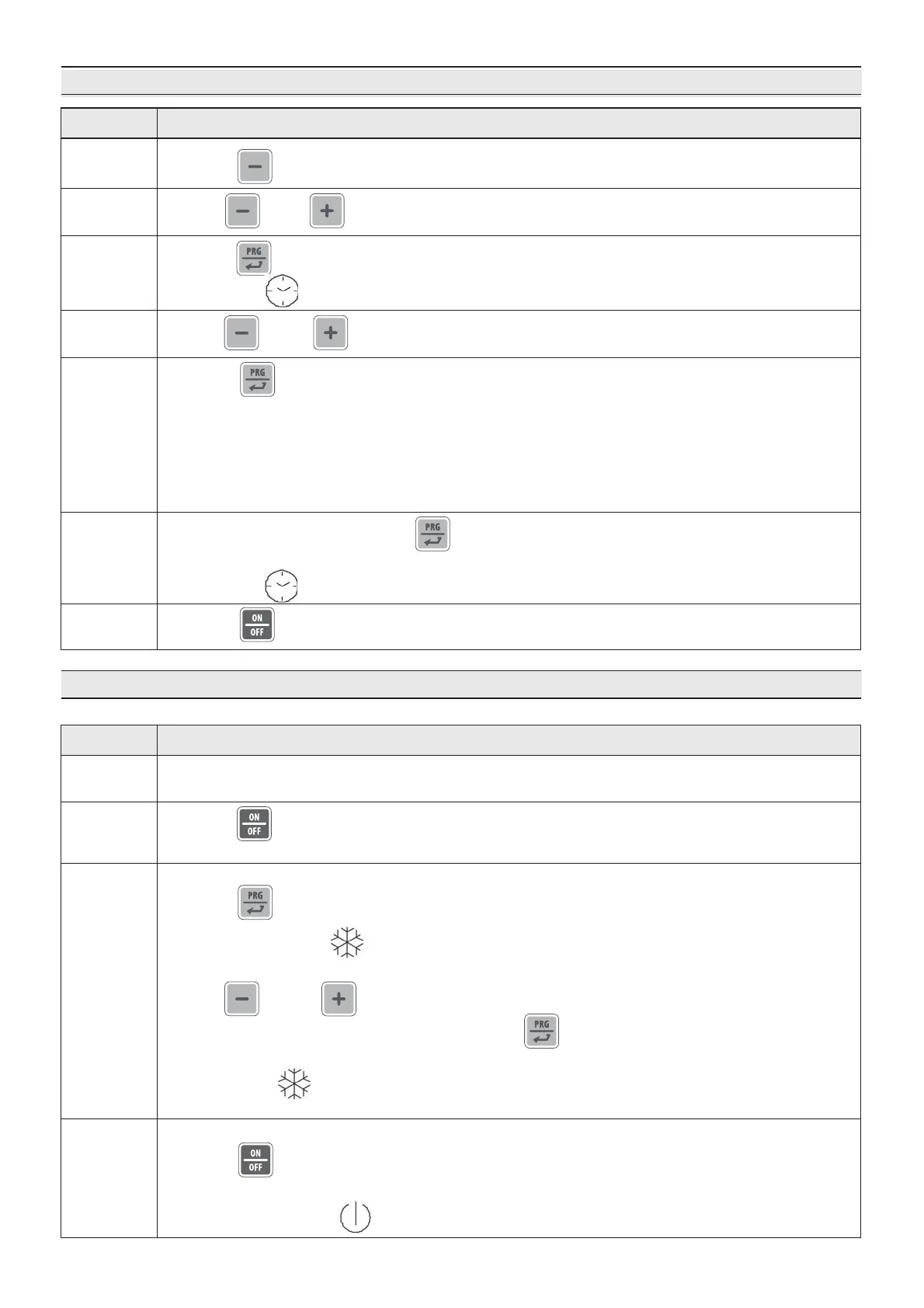
DATE AND TIME ADJUSTMENT
3.3. DESCRIPTION AND OPERATION
Preservation cycle
DescriptionPhase
1
Press P4 for 1 second
2
Press P5 to confirm and move on to the following setting.
In sequence:
- YEAR (display: “YY 01”)
- MONTH (display: “nn 01”)
- DAY (display: “dd 01”)
- HOUR (display: “hh 01”) in 24 hour format
- MINUTES (display: “nn 01”)
Use P4 or P6 to select “rtc” on the display
4
5
Use P4 or P6 to select the current year (last 2 digits e.g. 2011 = 11)
7
Press P3 to exit the menu.
3
Press P5 to confirm and access the clock setting menu.
The indicator flashes
6
After setting the minutes, press P5 to confirm and save
the clock setting. "rtc" appears on the display.
The indicator goes off.
DescriptionPhase
1
With the cabinet holder in Stand-by, select the operating mode.
See paragraph Common functions ☞ Operating mode selection.
2
Press P3 for 2 seconds to start preserving.
– The display shows the detected cell temperature
4
3
Changing set temperature:
Press P5 :
– The indicator flashes
– The display shows the setpoint
Use P4 and P6 to change the setpoint
– Do not press any key for 15 seconds or press P5 to exit
and save the modification.
– The indicator stops flashing
– The display shows the detected cell temperature
Finish preserving
Press P3 for 2 seconds
– The display turns off ☞ cabinet holder Stand-by
– The indicator turns on


 To Next Page