-SENSOR-HD-00-SWITCH-(IO)-00-(R)(1) Installation Manual | Released
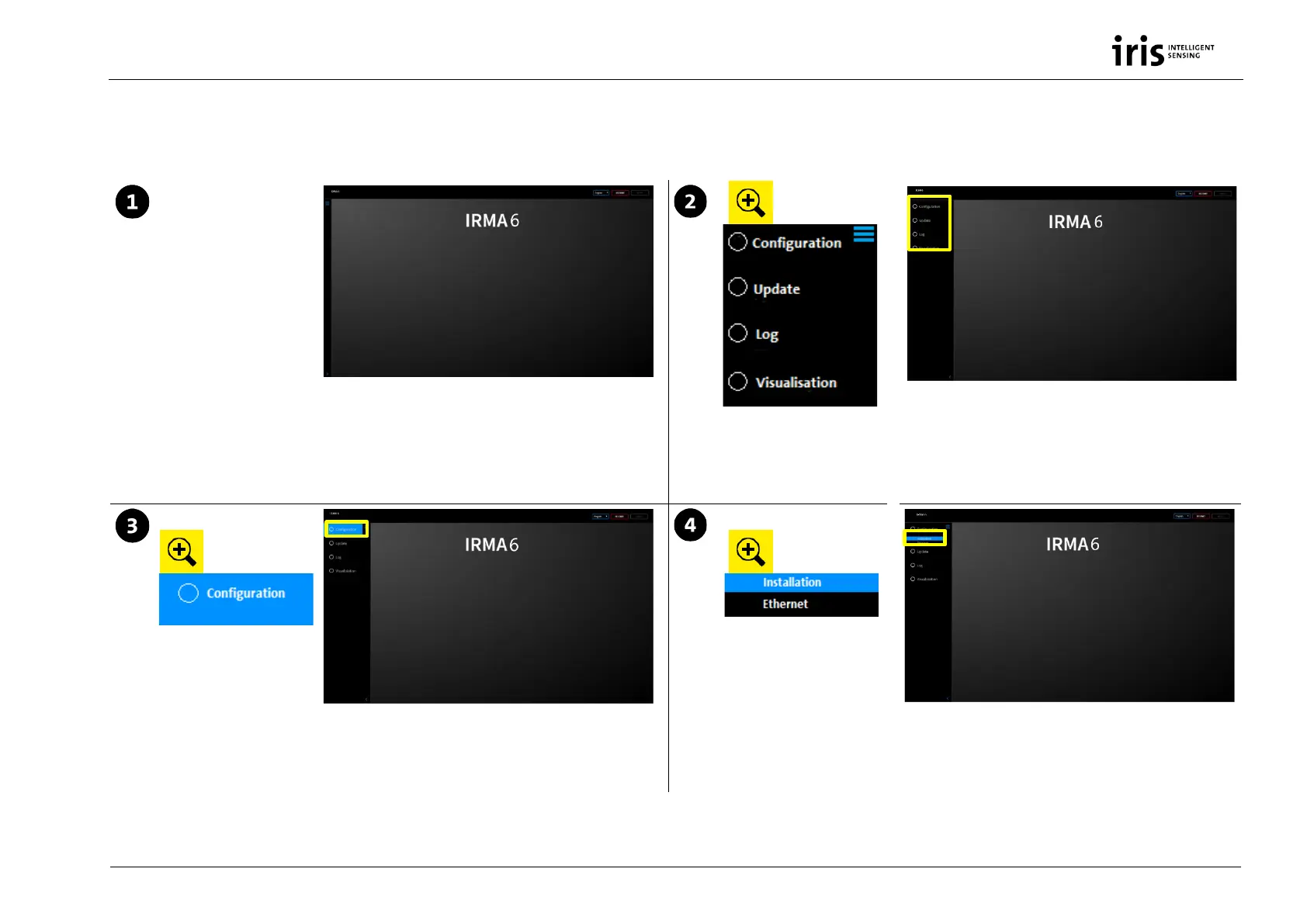
4 Configuring IRMA 6
Provide a DHCP server in the LAN. Open DNS. Connect IRMA 6 via the RJ45
service cable with your pc. Enter the device number in the browser bar.
Start configuring IRMA 6. Change the language via “English”.
On the left side you find the navigation:
• for configuring IRMA 6
• updating IRMA 6
• checking logged error messages
• visualizing counting data of IRMA 6
Click on CONFIGURATION to get to the points INSTALLATION and ETHERNET At the point INSTALLATION you set:
• door/function area
•
status LEDs
• installation parameter


 To Next Page