ifiver
Chapter2 Basic Operations
iriver D-Click
System™
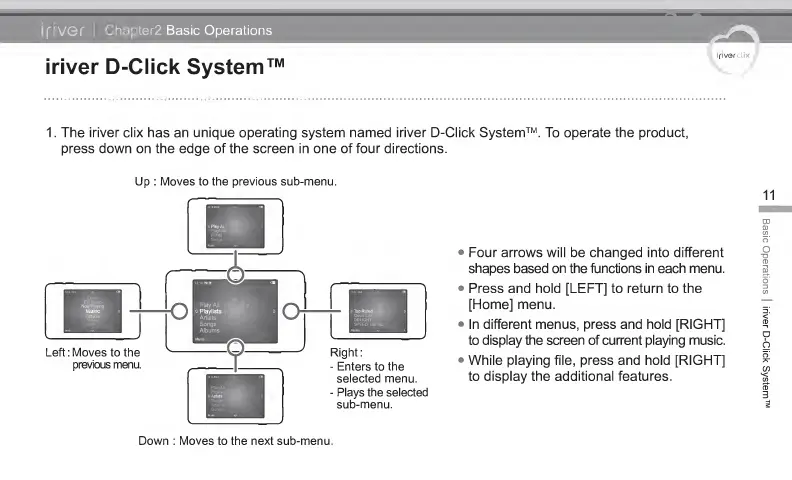
1 . The iriver clix has an unique operating system named iriver D-Click System™. To operate the product,
press down on the
edge
of the screen in one of four directions.
Up : Moves to the previous sub-menu.
,
,
11
•
Four arrows will be changed into different
shapes
based
on the functions in each menu.
•
Press and hold
[LEFT]
to return to the
[Home] menu.
•
In different menus, press and hold [RIGHT]
to
display the screen of current playing music.
•
While playing file, press and hold [RIGHT]
to
display the additional features.
Down : Moves
to
the next sub-menu.
Basic
Operations
|
iriver
D-Click
System'



 To Next Page