Using
the
iriver
Clix
|
Extras
-
Flash
Games
ifiver
Chapter3 Using the iriver Clix
20
Extras
|
Flash
Games
You can
play
various contents
and flash
games.
|
Playing Flash Games
|
1. Select [Extras-Flash Games] in the [Home] menu.
2. In game list, press [UP/DOWN] to select the
contents and press [RIGHT]
to
play
a
game.
3.
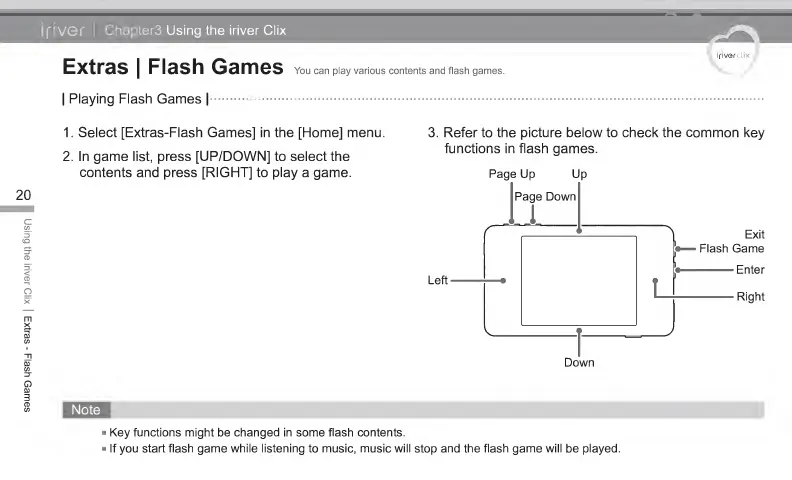
Refer to the picture below to check the common key
functions in flash games.
Page
Up Up
Page Down
Exit
Flash Game
Enter
Left
Right
Down
Key
functions might
be
changed in some flash contents.
If
you
start flash game while listening to music, music will stop and the flash game will
be
played.



 To Next Page