04
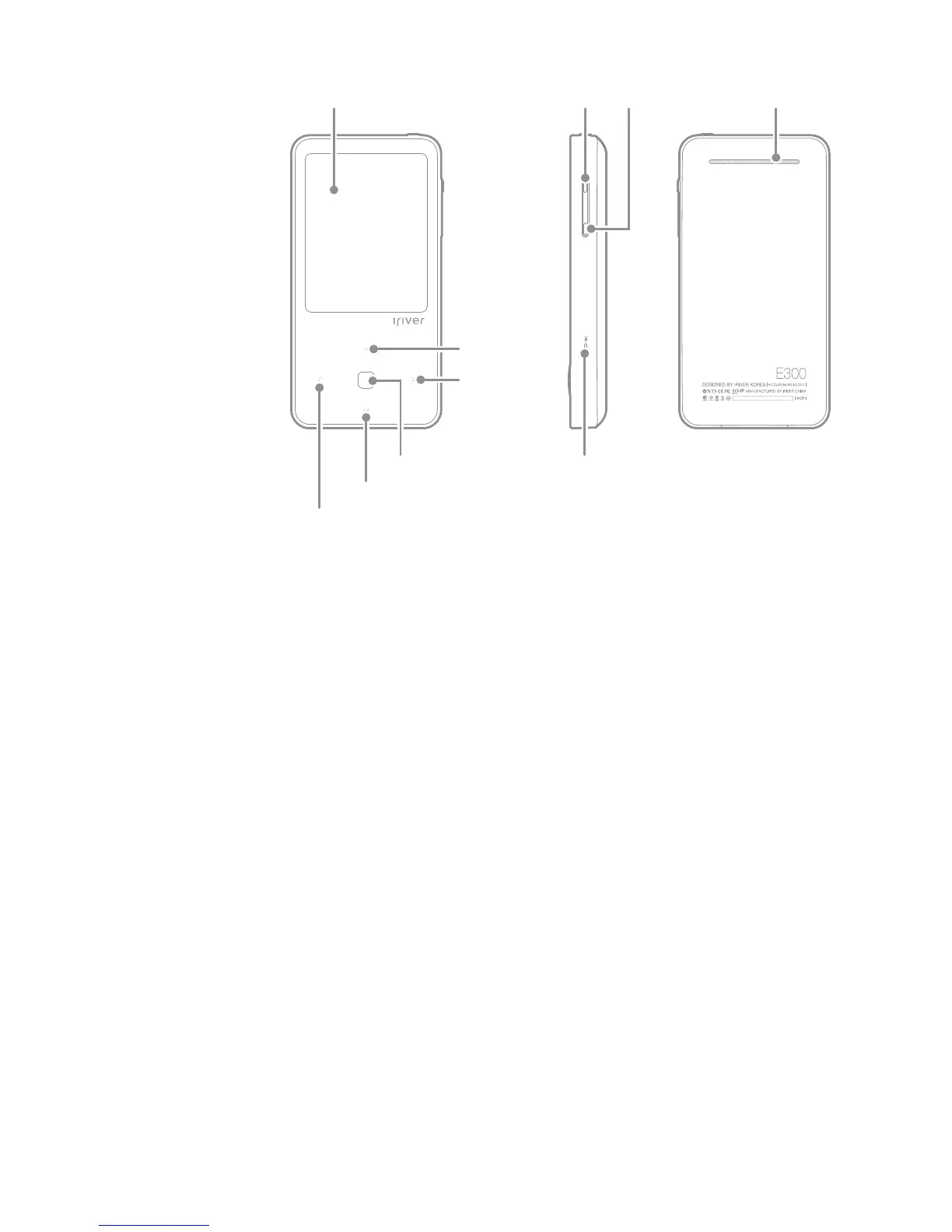
Down
Sub Menu
Upper Menu/Previous
Select MIC
LCD Volume -Volume + Speaker
Necklace Connection Loop: Connects with the necklace.
Power: Turn off the power by pressing and holding. Switch to standby
mode by pressing briefly.
You can switch to the standby mode by pressing it briefly.
Line-In Jack: Connects external device when Line-in recording.
Earphone Jack: Connect earphone here.
USB Port: Connect to computer or recharge the battery using this port.
RESET: Resets the product.
Micro SD Card Slot: Inserts the Micro SD card to
view and replay the files on the card.
LCD: Screen displays.
Volume: Controls the sound volume.
Speaker: Produces sounds.
MIC: Records voice.
Direction Key: Moves menu/list.
Access Key: Executes file/menu.
Up
Getting Started



 To Next Page