2 Getting started
This chapter will describe how to use this device.
2.1 Connecting device to computer
There is a PC application available on the following website: roomba.rfmeekes.com. Download the
application and run it. How to use the application is explained in the next chapter.
2.2 Using the PC application
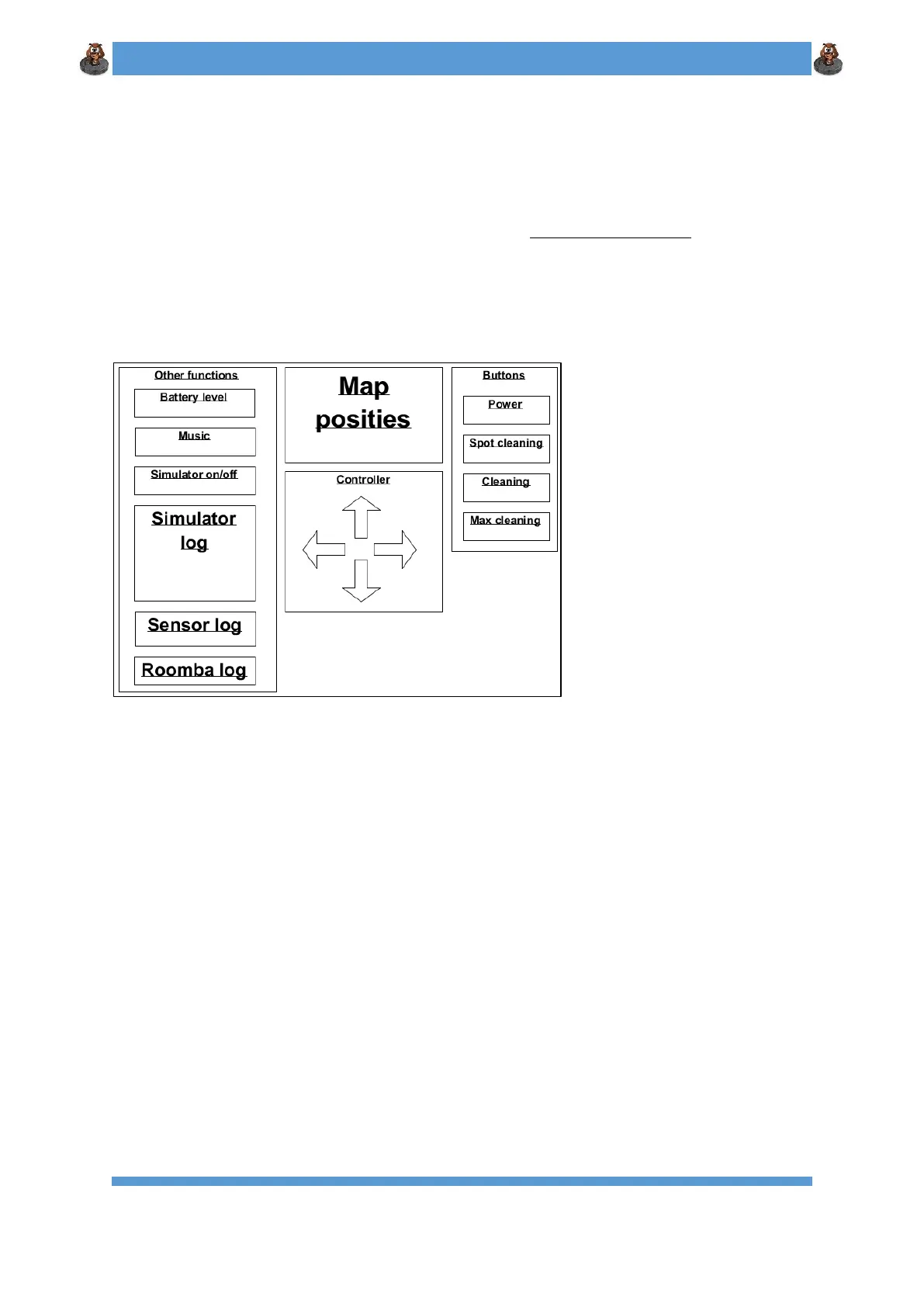
When you open the PC application, the following screen will show up (figure 1).
Figure 1: User Interface of the PC Application
(Main window)
On the right side are 4 buttons that represent the physical buttons on the Roomba. The “Power”
button will de-/re-activate the Roomba. The other buttons correspond to the various cleaning
modes.
The “Controller” section of the GUI allows you to manually steer the Roomba.













 To Next Page