24 Roomba
®
900 Series Owner’s Guide
EN
Cleaning Roomba’s
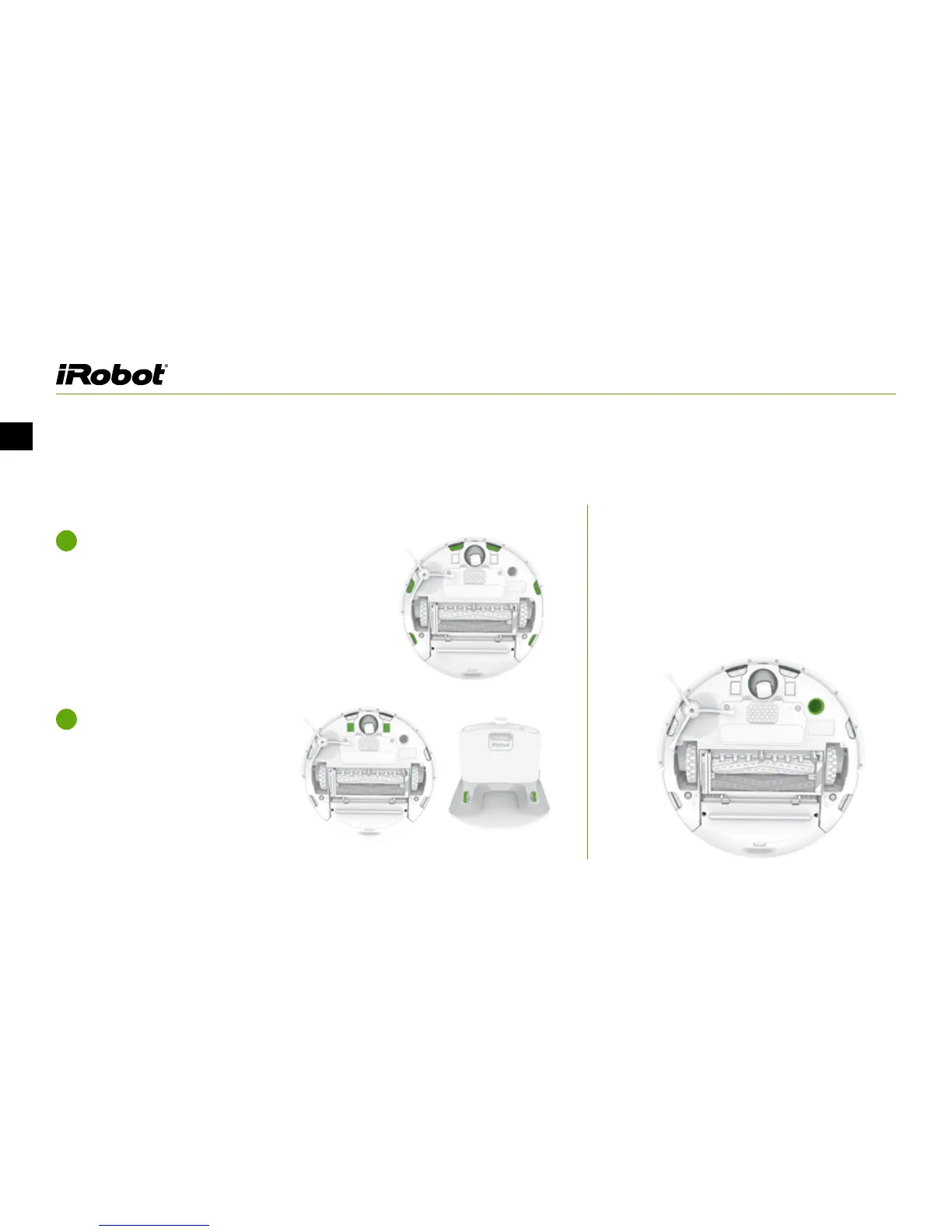
Floor Tracking Sensor:
Wipe Roomba’s Cli Sensors with a clean,
dry cloth.
1
Wipe the charging contacts on
Roomba and the Home Base with
a clean, dry cloth.
2
Turn Roomba over and use a clean, dry
microfiber or soft cotton cloth to wipe any
debris that has accumulated in the round
sensor opening on the right side of the
bottom surface. Do not spray cleaning
solution directly into the sensor opening.
Regular Robot Care (Continued)
Cleaning Roomba’s Cli Sensors and Charging Contacts:














 To Next Page