Roomba
®
900 Series Owner’s Guide 27
EN
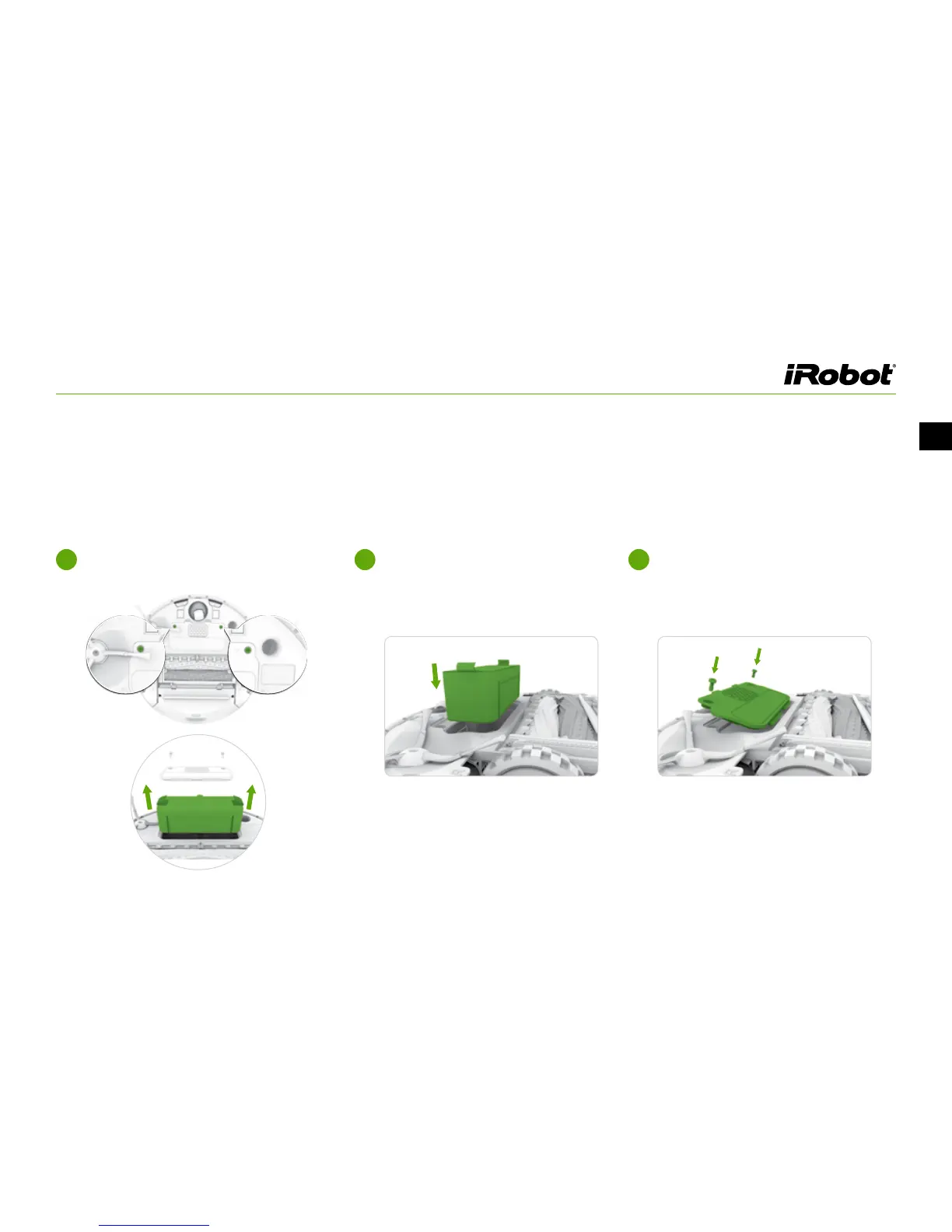
Battery Removal
Follow these instructions to remove and reinstall Roomba’s battery:
Unscrew the two screws on the battery
door, then remove the door and battery.
1
Reinstall the battery with the battery
label and tabs facing up.
2
Reinstall the battery door and the two
screws. Take care not to pinch the
side brush in the battery door when
re-installing the battery.
3














 To Next Page