26 2020-05
TORNADO
EN 428000747237
Use and maintenance manual
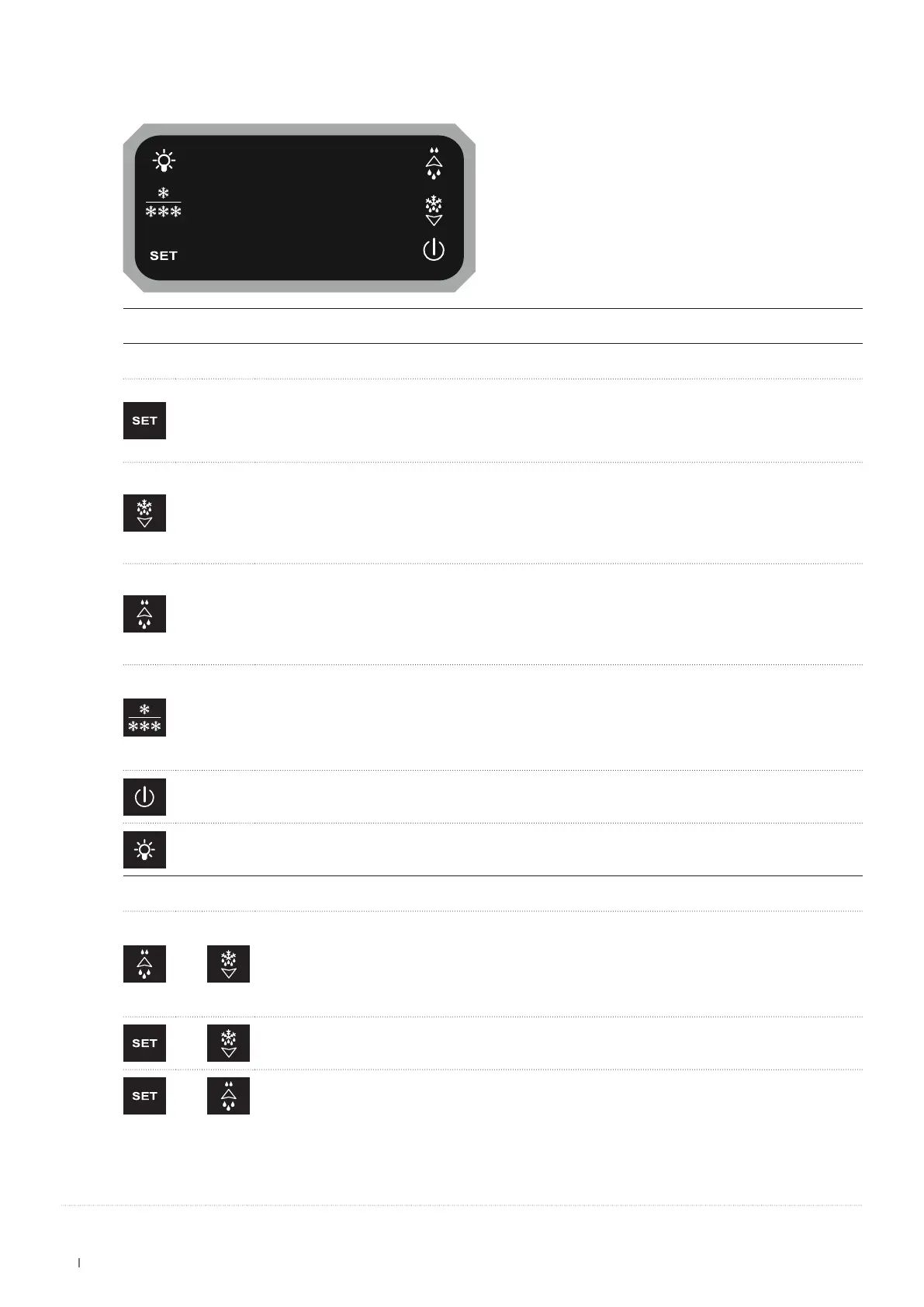
17.1 USER INTERFACE
KEY(S)
SINGLE PRESS
To display or edit the set point.
While programming, select a parameter or conrm a value.
DELETE MINIMUM/MAXIMUM TEMPERATURE
When the stored temperature is displayed, keep the button pressed for a few seconds (the letters rSt appear).
To conrm, the letters rSt will begin to ash.
DISPLAY MINIMUM TEMPERATURE
Press and release the key; the message "Lo" will be displayed, followed by the minimum temperature reached.
Press the key or wait 5 seconds to display the normal temperature again.
DOWN ARROW KEY / MANUAL DEFROST FUNCTION
While programming, it scrolls through the parameter codes or decreases their value.
When pressed for 5 seconds, it starts the manual defrost function.
DISPLAY MAXIMUM TEMPERATURE
Press and release the key; the message "Hi" will be displayed, followed by the maximum temperature reached.
Press the key or wait 5 seconds to display the normal temperature again.
UP ARROW KEY / DOUBLE HUMIDITY FUNCTION
While programming, it scrolls through the parameter codes or increases their value.
When pressed for 5 seconds, it enables/disables ventilation depending on the setting.
CHECK MAP USED
Press and release the key; the type of map used will be displayed:
Pt: Positive Temperature - Lt: Negative Temperature
DOUBLE TEMPERATURE FUNCTION (Pt Positive Temperature / Lt Negative Temperature)
When pressed for 5 seconds it goes from Positive Temperature (Pt) to Negative Temperature (Lt).
N.B.: after the change, the device will switch off and restart in the new mapping.
ON/OFF
When pressed for 5 seconds it turns the device on/off.
LiG
Lighting ON / OFF.
COMBINED PRESSING
+
LOCK KEYBOARD
Press and hold the keys for a few seconds until the word "POF" appears. At this point the keyboard is locked:
only the set-point and the maximum and minimum temperatures can be viewed.
If a key is pressed for more than 3 seconds, the word "POF" appears.
LOCK KEYBOARD
Press and hold the keys for a few seconds until the word "POn" appears.
+
To enter the programming function.
+
To exit the programming function.


 To Next Page