EasyManua.ls Logo

ISHIDA BC-300 - User Manual

ISHIDA BC-300
81 pages
Print Icon
To Next Page IconTo Next Page
Loading...
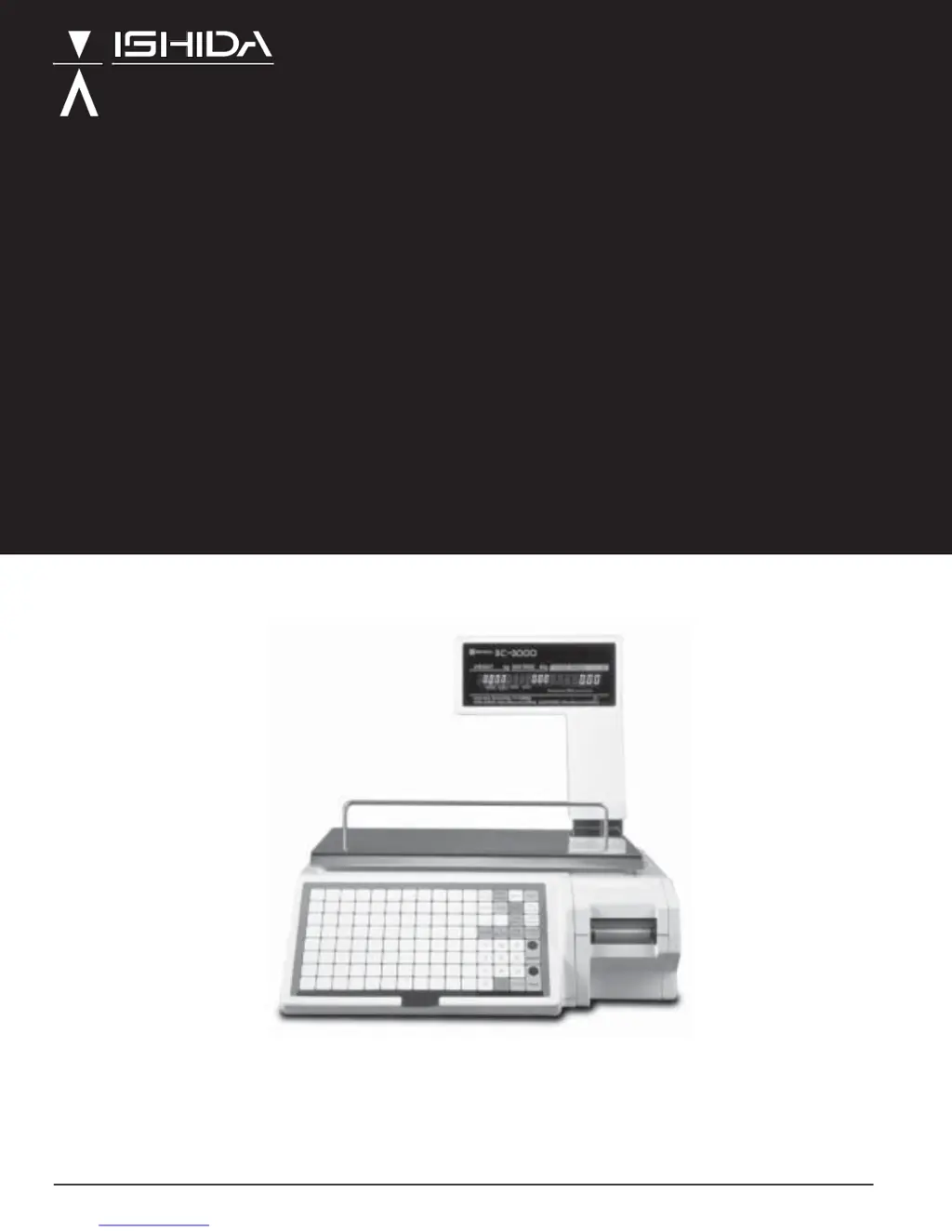
SERVICE MANUAL
Manual No. 0141A
ISHIDA CO., LTD.
Retail Scale
BC-3000
48775

Questions and Answers

  • V
    Victor NixonAug 15, 2025
    Why won't my ISHIDA Scales power on?
    • W
      William MaloneAug 15, 2025
      If your ISHIDA Scales won't power on, it could be due to several reasons: * The power plug might not be correctly inserted; try reinserting it. * The fuse might be blown, requiring a replacement. * The main board, power unit, or power switch could be defective, requiring a check and potential replacement.
  • S
    Stephanie GarzaAug 18, 2025
    What to do if the displayed weight on my ISHIDA BC-300 Scales is inaccurate or fluctuates?
    • A
      April SullivanAug 18, 2025
      If the displayed weight on your ISHIDA Scales is inaccurate or fluctuates, consider the following: * A four-corner screw may be making contact with the limit bolt; perform a four-corner test. * There might be foreign matter under the weigh platter or load cell; remove any such matter. * The load cell or main board could be defective, requiring adjustment or replacement.
  • P
    Paul FosterAug 21, 2025
    What to do if my ISHIDA Scales display only dashes?
    • C
      Casey MeyerAug 21, 2025
      If your ISHIDA Scales are displaying only dashes, it could indicate: * A defective load cell, which would need to be checked and possibly replaced. * External vibration affecting the scales; consider changing the installation site. * A defective main board or power unit, requiring inspection and potential replacement.
  • V
    vhahnAug 25, 2025
    What to do if some keys on my ISHIDA Scales are not working?
    • M
      Matthew VaughnAug 26, 2025
      If some or all keys on your ISHIDA Scales are not working, the issue might be: * A loose connection on the keyboard cable; check and secure the connection. * A defective keyboard board, which may need to be checked and replaced.
  • A
    Amy OwenAug 28, 2025
    Why do all display segments extinguish during operation of my ISHIDA Scales?
    • A
      agardnerAug 28, 2025
      If all display segments extinguish during operation of your ISHIDA Scales, it could be due to: * Power voltage fluctuations; check the power voltage. * A defective power unit, display board, or main board; each should be checked and potentially replaced.
  • N
    Nicole ColemanAug 31, 2025
    What to do if my ISHIDA BC-300 Scales print partially or not at all?
    • M
      Matthew ElliottAug 31, 2025
      If your ISHIDA Scales are experiencing partial or no printing, the cause may be: * A thermal head cable defect; check and replace the cable if necessary. * A defective power unit; check the thermal head applied voltage. * A defective thermal head; adjust or replace the thermal head. * A defective main board; check and replace the main board.
  • C
    Cynthia ThomasSep 3, 2025
    What to do if certain segments on ISHIDA Scales display do not light up or are continuously lit?
    • C
      Cathy FoxSep 4, 2025
      If certain segments on your ISHIDA Scales display do not light up or are continuously lit, it might be due to: * The program not running; check the connectors. * A defective main board or display board, requiring a check and potential replacement.
  • T
    Terri RobinsonSep 7, 2025
    Why does the registration data change on my ISHIDA BC-300 Scales?
    • M
      Marissa RobersonSep 7, 2025
      If the registration data on your ISHIDA Scales changes, it could be due to: * A defective battery; replace the battery. * A defective main board, which may need to be checked and replaced. * External noise or static electricity; consider changing the installation site.
  • D
    darryl91Sep 10, 2025
    Why do ISHIDA Scales enter test mode at power up?
    • K
      Kevin NicholsSep 12, 2025
      If your ISHIDA Scales enter test mode at power up, it could indicate: * A defective main board, which should be checked and possibly replaced. * A defective keyboard, also requiring a check and potential replacement.

Summary

HARDWARE SECTION

1 INTRODUCTION AND SETUP

Covers scale introduction, component identification, and setup procedures.

3 PARTS DISASSEMBLY AND REPLACEMENT

Details procedures for disassembling and replacing main components of the scale.

4 ELECTRONIC CONFIGURATIONS

Explains the electronic components, their connections, and configurations.

5 THERMAL HEAD

Describes the thermal head, its specifications, adjustment, and cleaning.

6 TROUBLESHOOTING

Provides guidance on periodic parts replacement, malfunction troubleshooting, and error messages.

SOFTWARE SECTION

S1 OUTLINE OF SOFTWARE AND PRINT FORMAT MODIFICATION

Overview of software structure, memory map, and print format modification.

S3 DISPLAY MODULE AND SETTING MODES

Explains display module operation and detailed setting procedures for various modes.

S5 TEST MODE AND ERROR CODES

Details test modes for calibration and diagnostics, and lists IF-21FD error codes.

APPENDIX A3 BC to BC System Setup

1. Overview

Discusses BC-3000 master/satellite communication capabilities and considerations.

2. Set Up

Details configuration steps for master-satellite communications via Test and Programming Menus.

APPENDIX A4 Korean;English Language Firmware

APPENDIX A5 Chinese;Japanese;English Language Firmware

APPENDIX A6 Label Format Worksheets

APPENDIX A7 NEW BC-3000 Dual Range Scale Notice

1. Revised Label Formats

Notes changes in label formats due to dual range feature.

2. Using old Label Formats

Instructions for modifying old label formats for dual range compatibility.

3. Existing PLU Files

Discusses PLU file compatibility issues with dual range BC-3000.

4. Networking

Notes limitations in networking dual range and single range scales.

ISHIDA BC-300 Specifications

General IconGeneral
ModelBC-300
Maximum Capacity300 kg
MaterialStainless steel
InterfaceRS-232C
IP RatingIP65
Readability0.05 kg
Power SupplyAC 100-240V, 50/60Hz
DisplayLCD

Related product manuals