Display and Buttons
10
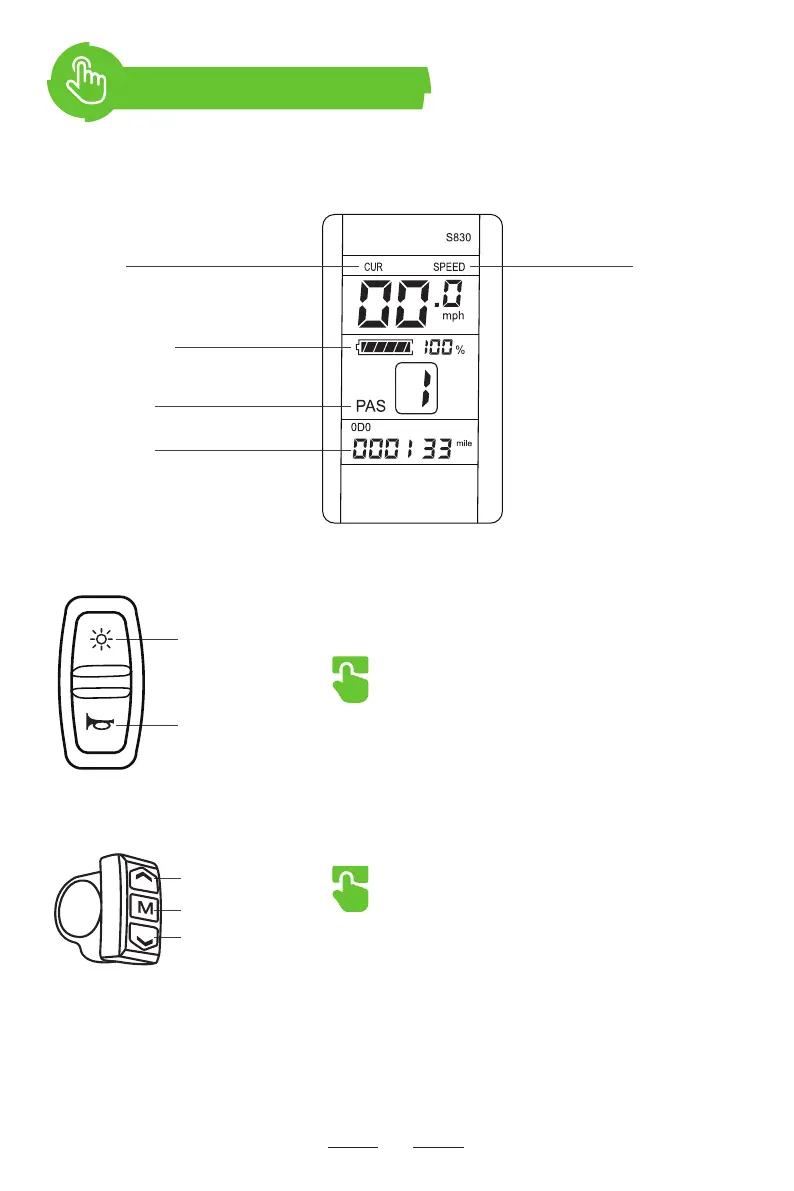
Computer Display
Front Light & horn Button
● Press to turn on/off the front and rear lights
● Press or hold to activate the horn
M Button
● Press to switch speed mode from 1 to 5.
● Press and hold for 2 seconds to power on/off the
electric bike.
● Press to switch speed mode from 5 to 1.
CUR
Working Current
Front and
Rear Lights
Speedometer
(MPH)
Increase Button
Power Button
Decrease Button
Horn
Battery Level
PAS Level
Odometer


 To Next Page