Need help?
Do you have a question about the iSinwheel U2 and is the answer not in the manual?
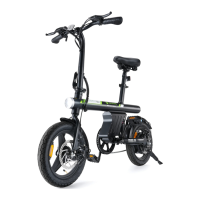
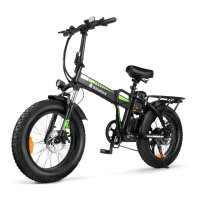
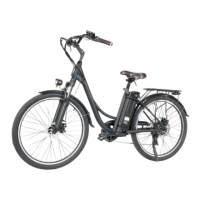
Visual identification of key components of the U2 electric bike.
Read manual, check parts, do not install battery until bike is fully assembled.
Instructions for installing the kickstand using an appropriate hex key.
Steps to attach the front wheel, ensuring proper alignment and QR skewer tightening.
Attaching the front fender and front light to the fork arch and legs.
Instructions for fitting and securing the stem and handlebar assembly.
Properly inserting and securing the seat post into the seat tube.
Identifying and correctly tightening the left and right pedals.
Mounting the rear fender, rack, and connecting the rear light cable.
Guide to inflating the front and rear tires to the recommended pressure.
Steps for safely removing and reinstalling the U2 electric bike battery.
Key safety precautions and best practices for charging the e-bike battery.
Using the thumb throttle for speed control from 1 to 5.
Operating the Pedal Assist System (PAS) with different levels.
Riding the e-bike like a conventional bike with the electric system off.
Overview of power, speed adjustment, front light, and horn controls.
Understanding the On-Screen Display (OSD) information and icons.
Adjusting various bike settings like speed, lights, and display parameters.
Details regarding the UART communication protocol and its display.
Explanation of different bike modes and their functions.
Interpreting bike status icons and their meanings on the display.
List of diagnostic fault codes and their corresponding meanings for troubleshooting.
Guide to accessing and modifying customizable bike parameters and limits.
Essential pre-ride checks to ensure safe operation and bike integrity.
Recommendations for regular professional maintenance for critical components.
Importance of wearing protective gear like helmets and pads to prevent injury.
Critical warnings regarding safe riding practices and potential hazards.
Precautions for battery maintenance, storage, and operational temperature limits.
Instructions on how to properly clean the e-bike, including water resistance.
Storage warnings regarding environmental factors affecting the e-bike.
Information on the correct procedures for disposing of the e-bike and battery.
Technical specifications and parameters of the U2 electric bike.
Details of situations not covered by the warranty and requiring paid service.
Contact details and support channels for inquiries about the U2 electric bike.

 To Next Page
 General