Speed Unit
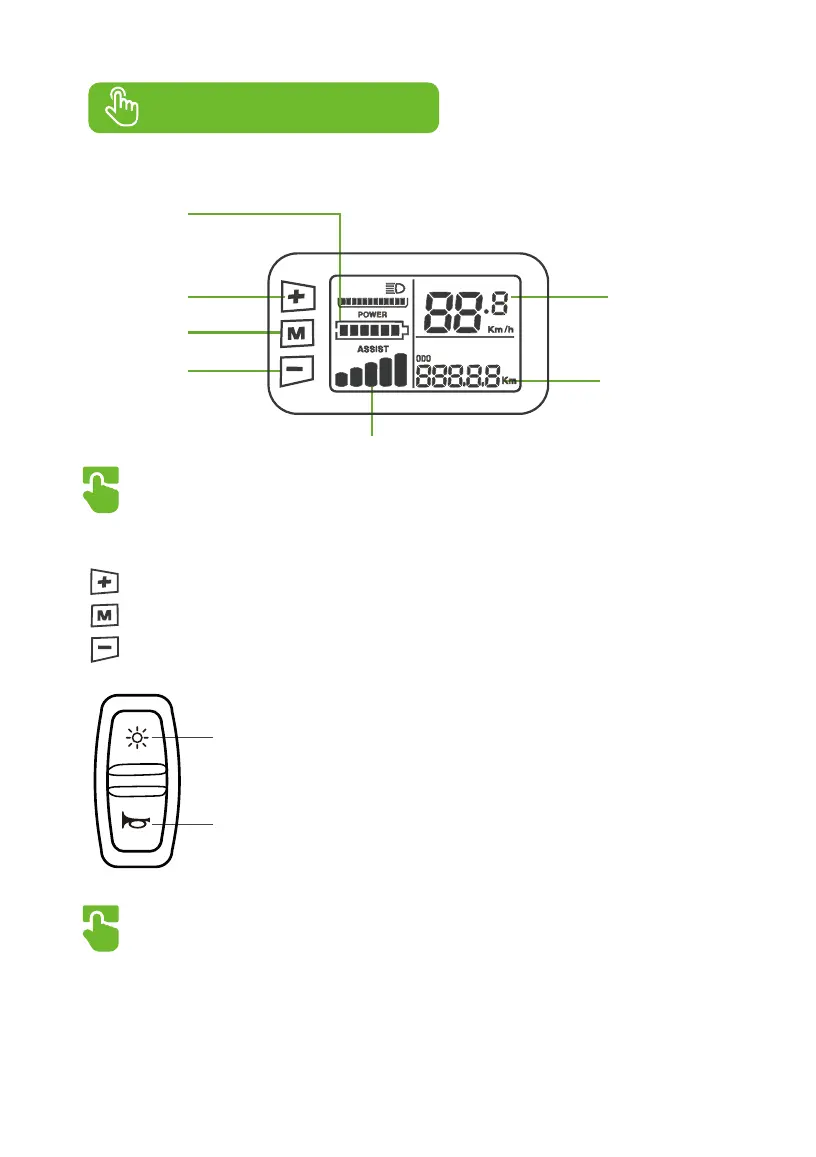
Metric : KM/H
Imperial : MPH
Value and Unit
Power Button
+ Button
Battery Level
- Button
PAS Level
11
6. Display and Buttons
Buttons
Power/+/- Buttons
Press to switch speed mode from 1 to 5
Hold for 2 seconds to power on/off
Press to switch speed mode from 5 to 1
Operational instructions
1. OSD information
Speedometer, PAS level, battery level, fault codes, odometer, trip odometer, front light icon,
trip time.
Front Light
Horn
Front Light & Horn Buttons
● Press to turn on/off front light
● Press or hold to activate horn


 To Next Page