9
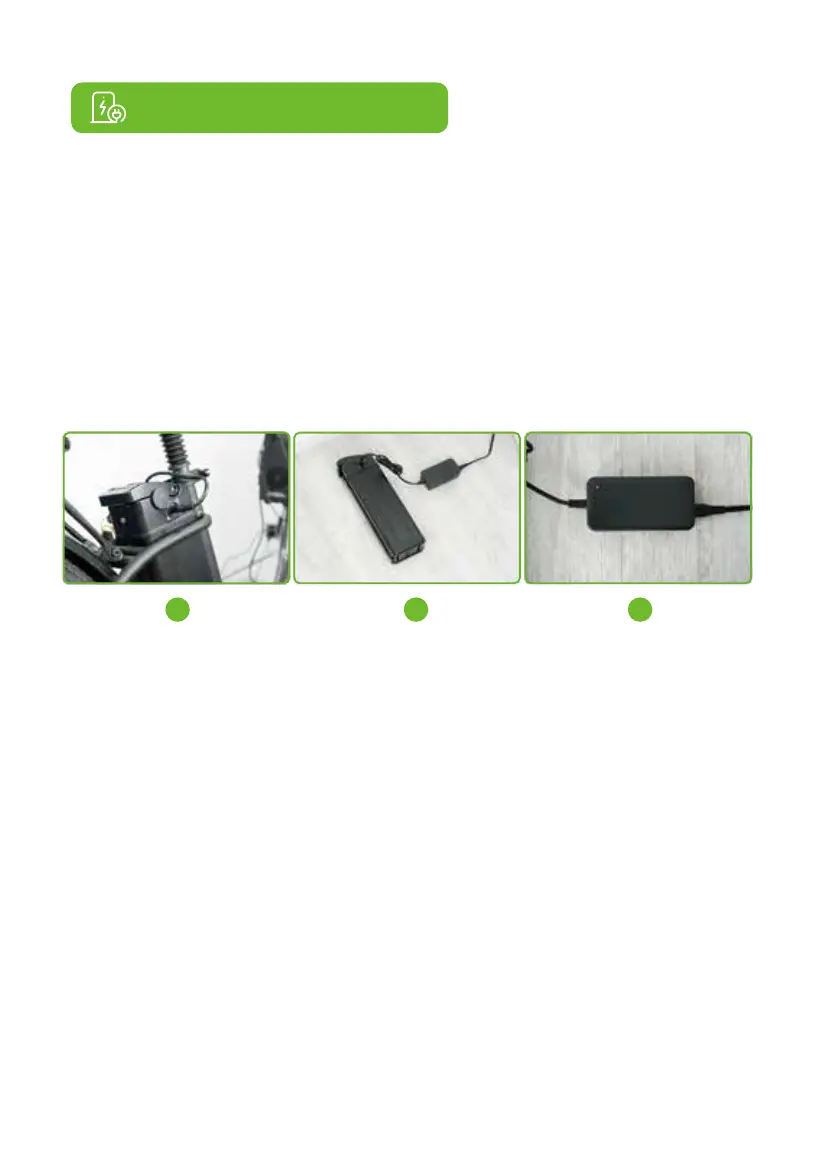
The battery can be charged either when on the bike or removed from the bike.
● Spin the key to the off position to make sure the battery is in idle state.
● Remove the key from the battery and open the charging port cover.
● Plug the DC connector of the charger into the charging port. Place the charger on a flat and
safe surface no matter when the battery is charged on the bike or removed from the bike.
● Insert the AC plug of the charger into the power socket. It will start charging with a red LED
indicator light on the charger. Once the battery is fully charged, the indicator light will turn
green. After charging, unplug the charger from the power socket first, and then remove the DC
output connector from the charging port on the bike.
Battery safety
● Before riding, fully charge the battery (about 6 hours).
● Periodically visually inspect the battery connector and charging cable.
● Always keep the charging environment clean and dry.
● Do not charge the e-bike if the charging port is wet or has liquid on it.
● Avoid charging the e-bike in extremely hot or cold environments to fully utilize the maximum
efficiency of the battery. Under no circumstances should the e-bike be used while charging or
connected to the charger.
● The charging time is about 6 hours. Prolonged charging may reduce battery life and perfor-
mance.
● Only use the provided charger comes with U2 bike. If the official charger is lost or damaged,
please contact Customer Service to obtain a replacement.
● Before using the e-bike, be sure to lock the battery with the attached battery key.
4. Charging Instructions
1 2 3


 To Next Page