Settings
User’sManual 17
Note
You can download freeware MiQen (standard edition) from: www.iskra-
mis.si
4.3 Setting procedure
In order to modify instrument settings with MiQen, current parameters must be loaded first.
Instrument settings can be acquired via a communication link (serial or USB) or can be loaded
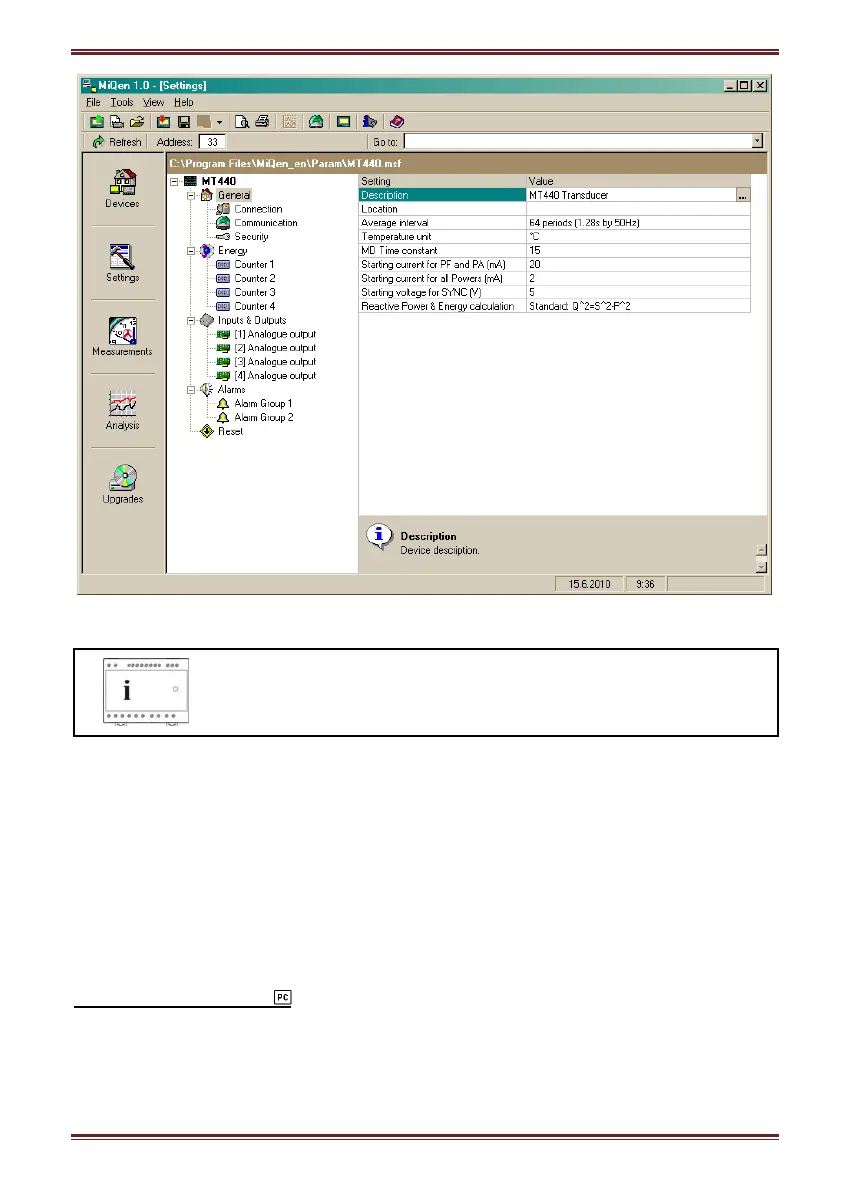
off-line from a file on a local disk. Settings are displayed in the MiQen Setting Window - the left
part displays a hierarchical tree structure of settings, the right part displays parameter values of
the chosen setting group.
4.4 General settings
General settings are essential for measuring transducer. They are divided into four additional
sublevels (Connection, Communication, Display and Security).
Description and Location
Two parameters that are intended for easier recognition of a certain unit. They are especially
used for identification of the device or location on which measurements are performed.


 To Next Page