Connection
12 User’sManual
3.4 Connection of input/output modules
Warning!
Check the module features that are specified on the label, before
connecting module contacts. Wrong connection can cause damage or
destruction of module and/or device.
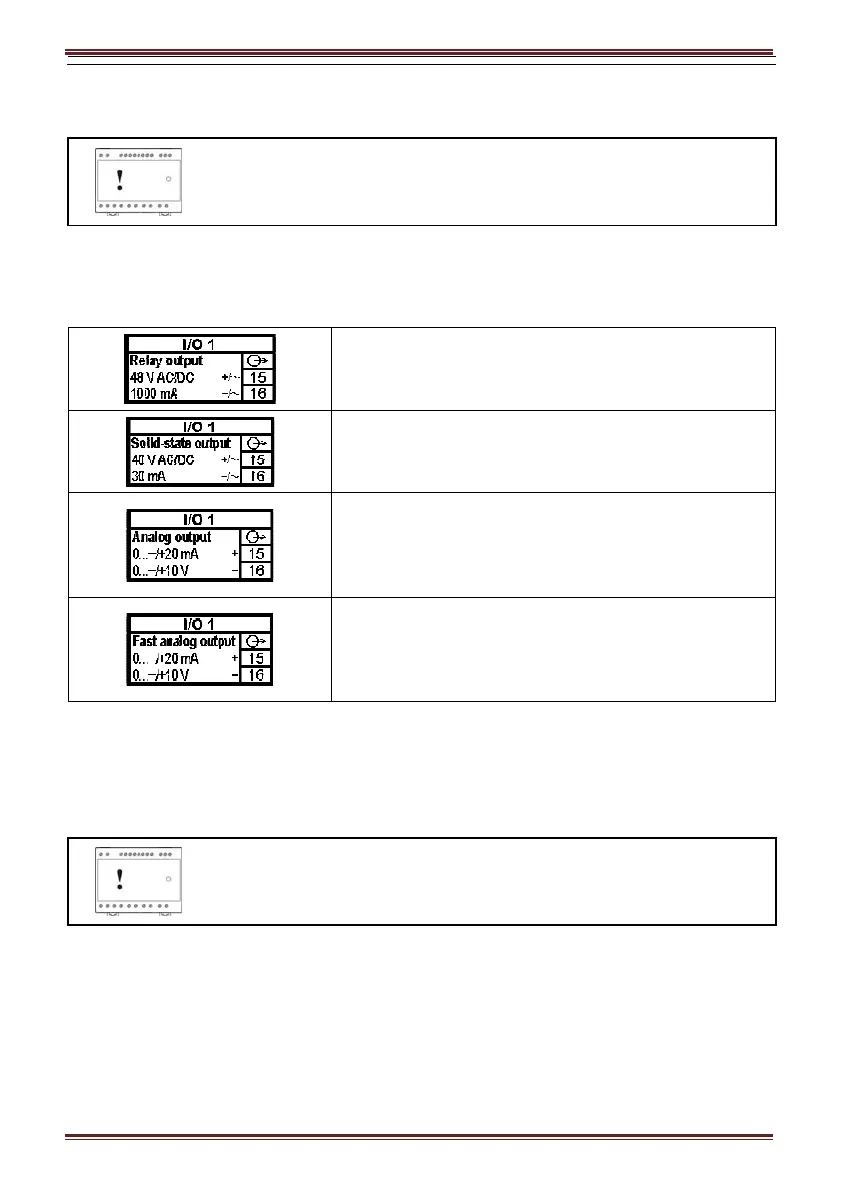
Connect module contacts as specified on the label. Examples of labels are given below and
describe modules built in the device. Information on electrical properties of modules is given in
chapter Modules on page 36.
Electromechanical relay output module. (Example of
alarm module as I/O module 1)
Solid state relay module output. (Example of pulse
module as I/O module 1)
Analog output module with analog output, proportional to
measured quantities. The outputs may be either short or
open-circuited. They are electrically insulated from each
other and from all other circuits. (Example of analog
output module as I/O module 1)
Fast analog output module with analog output,
proportional to measured quantities. The outputs may be
either short or open-circuited. They are electrically
insulated from each other and from all other circuits.
(Example of analog output module as I/O module 1)
3.5 Communication connection
MT440 is equipped with one standard (COM1) serial (RS232 or RS485) communication port
and one service communication port (USB).
Warning!
USB communication port is provided with only BASIC insulation and can
ONLY be used unconnected to aux. supply AND power inputs!
Connect a communication line by means of corresponding terminals. Connection information is
stated on the instrument label. Connector terminals are marked on the label on the upper side of
the instrument.
USB connector is positioned on the bottom side of an instrument under removable plastic cover.
For driver installation see Note on the next page. Instrument will establish USB connection with
PC approx. 3 seconds after physical connection to USB port.
More detailed information about communication is given in chapter Communication on page 37.


 To Next Page