/
On - Phone service is enabled and ready to be used.
Off - Phone service is disabled.
On - The USB device is connected and recognized.
Off - No USB device connected.
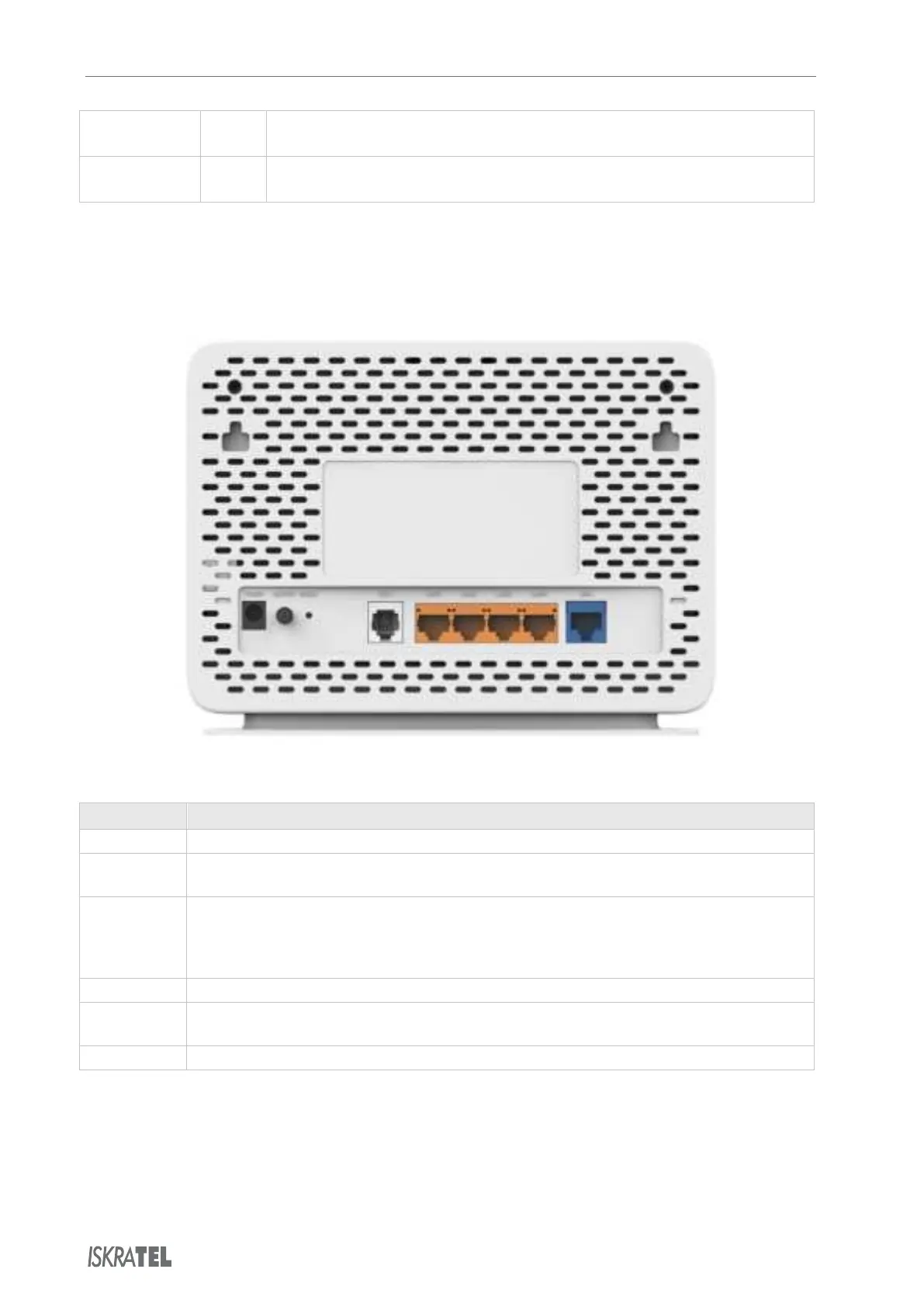
2.2 Back View
The back of the Innbox home gateway is equipped with connectors and switches that allow you to
connect your device.
Back panel connectors
Item Purpose
Power Power plug for connecting to the supplied VDC power adapter.
On/Off Button for turning the home gateway on or off. The home gateway is turned on when the
button is pressed in.
Reset This button is used to reset the configuration of the home gateway to factory default values.
When you press this button, the light indicators will briefly go off and then on again and the
home gateway will reset. The factory default settings will only be valid for the time the device is
running. If you want to preserve factory default settings, save the configuration.
TEL1 Port for connecting analog phones.
LAN1...LAN4 Four Ethernet ports to connect data devices (such as a computer) or video devices (such as a
set-top box).
WAN Ethernet port for connecting the Ethernet WAN service.
© Copyright Iskratel. All rights reserved.



 To Next Page