17
Basic
Basic Parameters
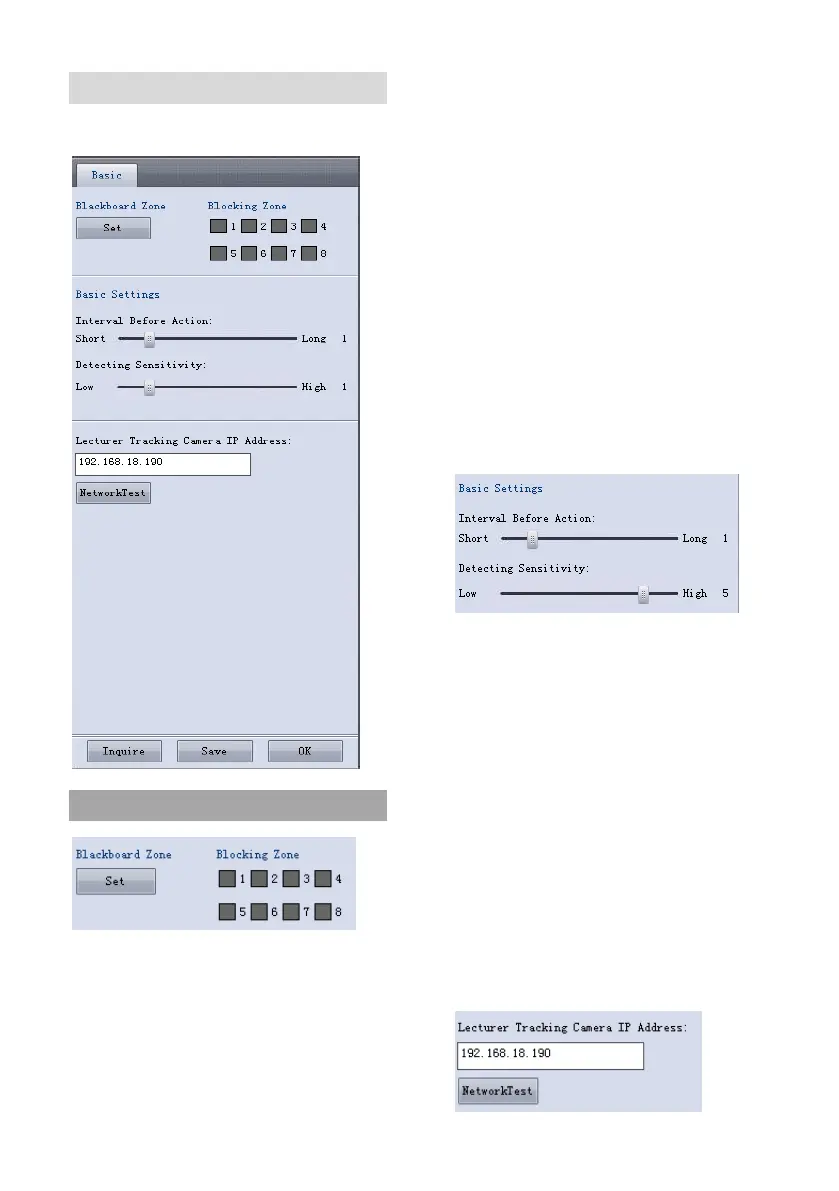
Blackboard Zone: define effective zone for
the sensor. The zone is displayed as a blue
rectangle. Generally it covers the whole
blackboard. The bottom is in parallel with
the bottom line of blackboard. To avoid
incorrect detection, make sure boby
(including head) of the lecturer does not
enter the area when he is not writing on
blackboard.
Blocking zones: There are 8 blocking
zones available in red rectangle to avoid
interference to trigger, they can be
configured independently. The moving
objects inside the blocking zones of the
full-view camera will not be detected and
tracked while the tracking camera still tracks
the lecturer head.
Interval Before Action: Used to define the
interval that the sensor confirms writing
action is completed after no one writes on
the board. For example, if it is set as 3, then
after on one writes on the board for 3
seconds, the sensor will consider writing is
completed.
Detecting Sensitivity: 0~6 levels.
Suggested to set at 0~5, if set at the highest
value 6, the sensor may detect shadow on
the board.


 To Next Page