23
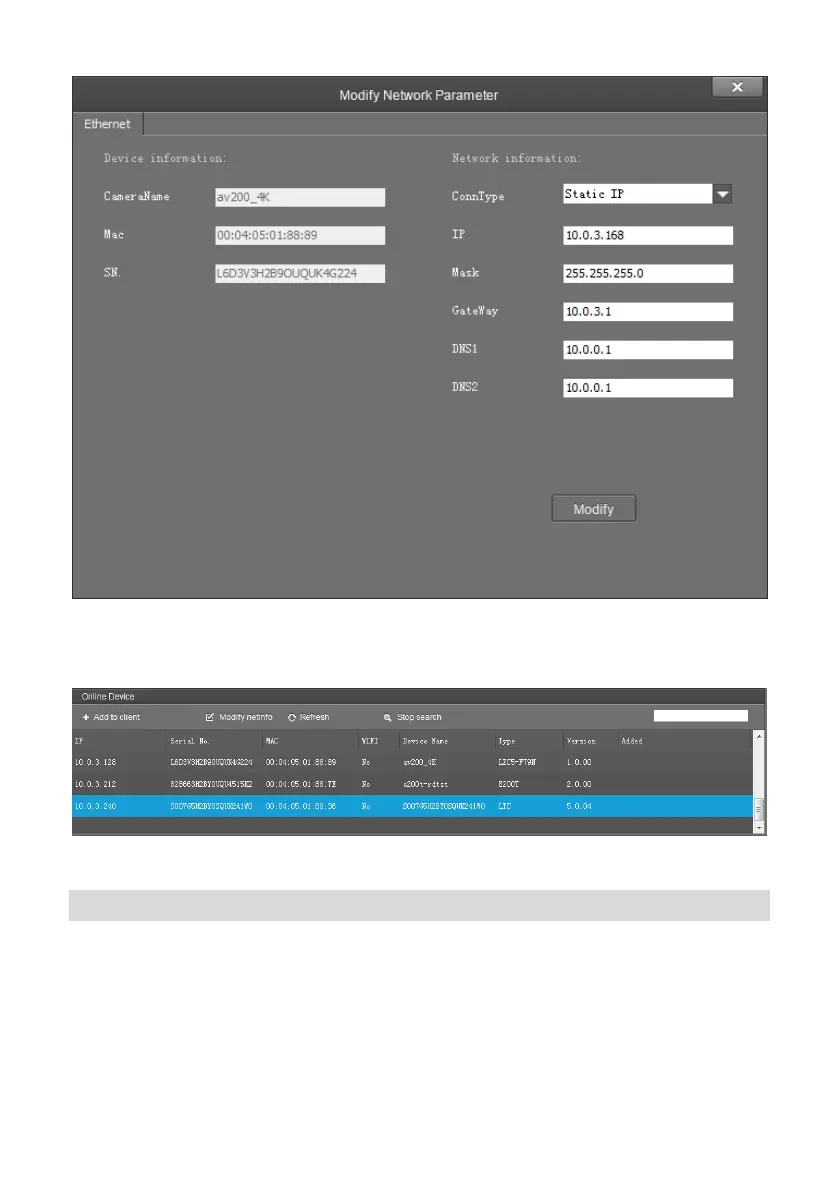
To control and preview a camera, first choose the device, modify its IP address as the IP address
of the same LAN, then click “Add to Client” as the picture shown below.
Please check that all IP addresses are in the same LAN.
Remote Configuration
Choose the camera in the device list, click “Remote Configuration” in the column to upgrade or
configure IP address of the camera.


 To Next Page
 Loading...