Page 19 of 29
Fast Cal Series Iss.07 – 08/13
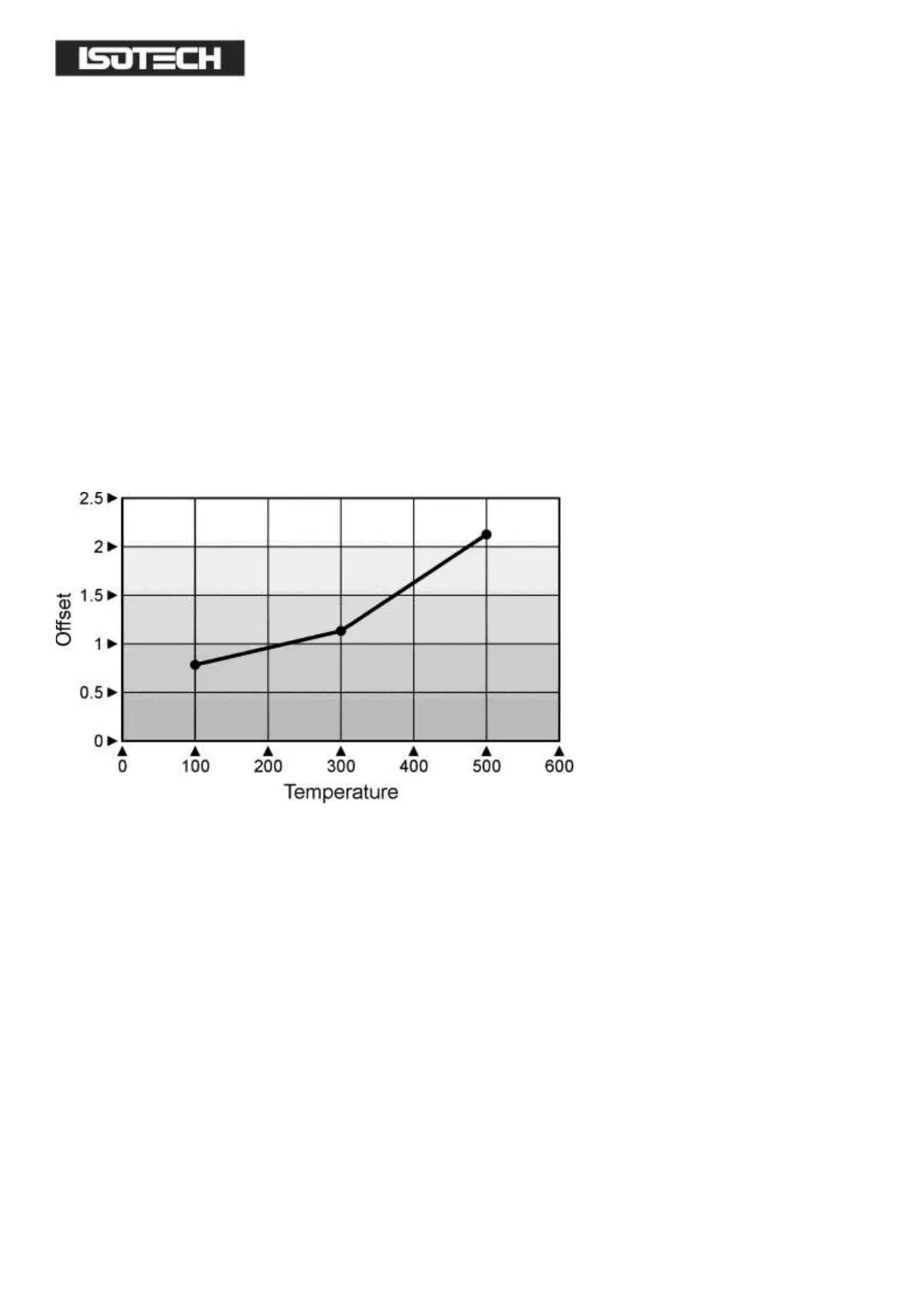
CALIBRATION DATA EXAMPLE
A maximum of five points may be entered, shown as Pnt 1 to Pnt 5 for the temperature point and Ofs 1 to Ofs 5 for
the offset values.
The Pnt values must be entered in ascending order.
Set a Pnt to a value lower than the previous point to disable it.
The indicator would be programmed with the following data:
Pnt 1 100 Ofs 1 0.8
Pnt 2 300 Ofs 2 1.1
Pnt 3 500 Ofs 3 2.1
Pnt 4 -999 Ofs 4 0
Pnt 5 -999 Ofs 5 0
CONNECTING A CURRENT TRANSMITTER (UP TO 20MA)
The transmitter should be powered externally, a 2.49Ohm current sense resistor is fitted internally and this allows the
indicator to read mA.
To scale the Linear input:
1 From the input type menu select “mV”.
2 The scaling can be configured in the CAL menu, accessed as described above..
3 Access the Input sub-menu by pressing the Page button
4 Set the input type to mV
5 Press again to enter the mv.hi value
6 Press again to enter the mv.lo value
7 Press again to enter the rng.hi value
8 Press again to enter the rng.lo value
9 To exit press Page and Scroll buttons together and select level 1 using the up/down buttons


 To Next Page
 Loading...