www.istorage-uk.com
4
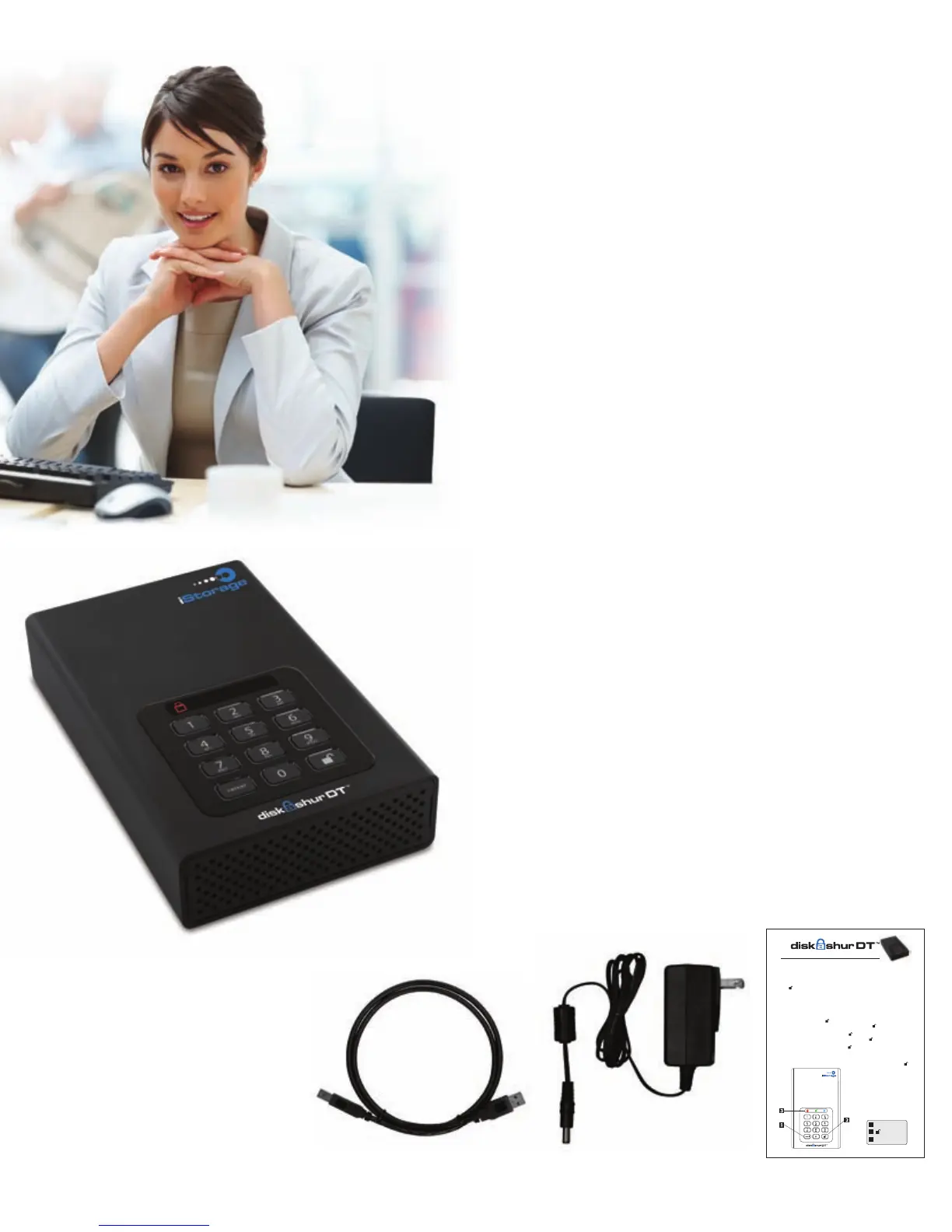
Package contents
Looking for an effortless way to secure
your data? Look no further than the
diskAshur DT.
With an easy-to-use keypad design
and software free setup, the diskAshur
DT enables you to access the drive
with your own unique pin. Featuring
256 bit hardware encryption and a
super-fast USB 3.0 connection, the
diskAshur DT provides seamless real-
time encryption, keeping your data
safe 24/7.
diskAshur DT •
AC Adapter•
USB 3.0 data cable •
(backwards compatible
with USB 2.0)
Quick Start Guide•
About the diskAshur
Desktop Drive
Quick Start Guide
3
1
2
Cancel button
button
LED Indicator light
Remember to save your password in a
safe place. If lost or forgotten, there is
no way to access the drive.
If you are having difculty please refer
to the complete user’s manual which is
loaded on your DiskAshur drive and is
also available at IStorage’s website at:
www.istorage-uk.com/support
Your Dis kAsh ur DT i s pr efo rmat ted in NTFS fo r Wi ndow s
®
an d i s re ady for use . F or t he M ac OS
ple ase ref er t o t he d ire ctio ns o n t he r ever se to r efo rmat you r d rive to a c ompa tib le f orma t.To
acc ess the Dis kAs hur DT c onn ect the dri ve t o a pow er o utl et v ia t he A C Ada pte r an d a USB por t
usi ng the USB 3.0 cab le (thi s ca ble is also co mpat ibl e wi th U SB 2.0) .
O n c e c o n ne c t ed t ur n th e p ow e r s w i tc h on t he b ac k of t he d ri v e t o th e ON p os i t io n , t h e L O C K
i n d i ca t o r l i gh t on t he t o p o f t h e u n i t s h ou l d s h o w R E D. E nt e r t h e d e f au l t P I N n u m be r of 1 23 4 5 6 a n d
p r e s s . T h e UN L O CK i nd i c at o r l i g ht w il l tu r n G R E EN i nd i c at i n g t h e d r iv e is u nl o c ke d a nd c an b e
a c c e ss e d .
Changing the ADMIN PIN number to your own unique PIN number
Yo u ar e th e “a d m in i s tr a t or ” of t hi s dr i v e. T h e r st t hi n g y o u w i l l w a nt t o d o i s ch a n ge t he A d m in i s tr a t or
P I N nu m b er f ro m th e de f a u lt 1 23 4 5 6 t o a u ni q u e, s ec u r e P I N n u mb e r t h a t y o u w i ll r em e m be r .
To change the Admin PIN number follow the instructions below:
To e n t e r A d m i n M o d e , c o n n e c t t h e d r i v e t o a U S B p o r t . T h e U N L O C K i n d i c a t o r l i g h t w i l l b e R E D .1 .
Next , press and ho ld 0 + for 5 s econds until t he UNL OCK ind icator light ashes RED.2.
Enter the Admin PIN number (default is 123456) and press . The ADMIN (A) 3.
indicator light will turn BLUE indicating you are in Admin Mode.
While in Admin Mode, press and hold 9 + until the ADMIN (A) light ashes BLUE.4.
Enter the new PIN number (minimum 6 digits) and press . The UNLOCK indicator 5.
light will ash GREEN 3 times if successful.
Re-enter the new PIN number and press . The UNLOCK indicator light will stay 6.
solid GREEN for 2 seconds then the ADMIN (A) indicator light will become solid BLUE
indicating you have successfully changed the Admin PIN.
To ex it A dmin Mo de a nd b egi n us ing you r Di skA shur dri ve, pre ss the CANC EL b utto n 7.
unt il the LOCK in dica tor lig ht t urn s RE D. N ow ente r y our new PIN num ber and pre ss .














 To Next Page