8
FAULT RESOLUTION
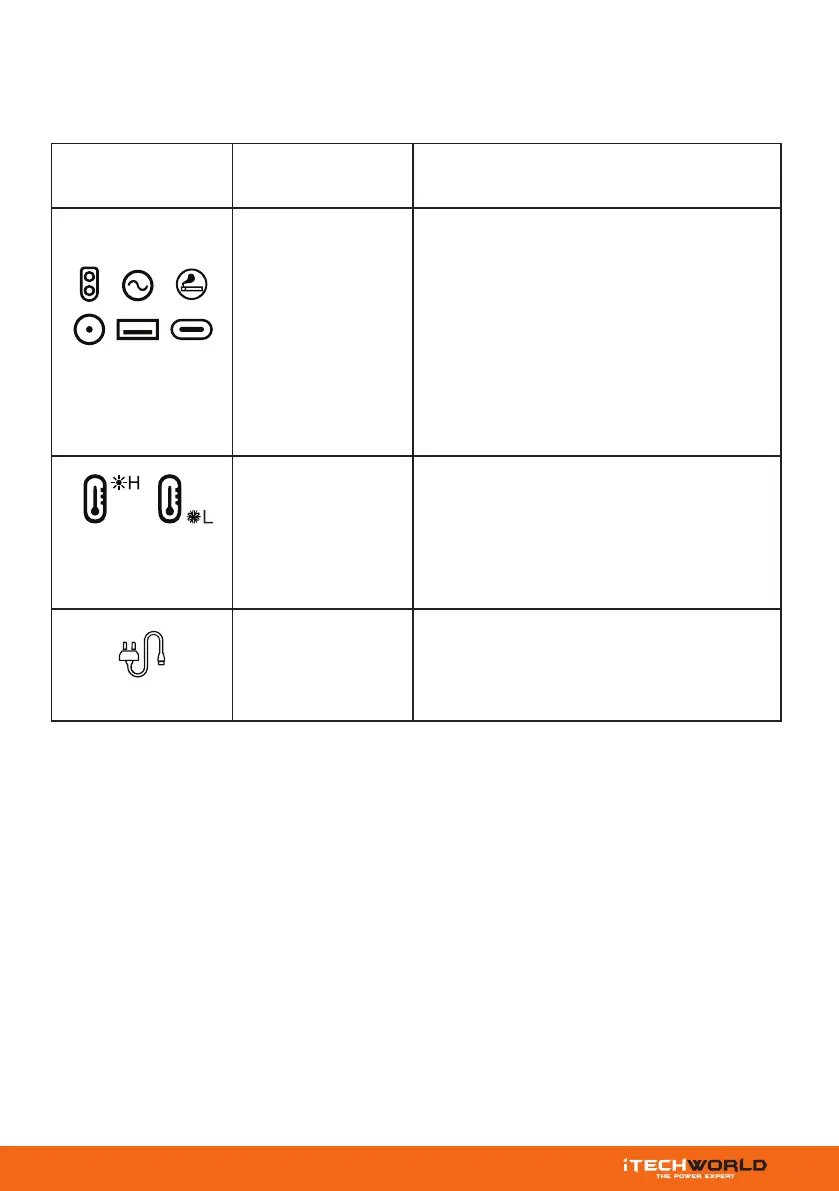
Status Explanation Resolution
Above icon ashes
and buzzes
The output exceeds
the standard and it’s
short-circuited.
1 - Begin by removing the output device.
2 - Next, check whether the overload protector
is activated. If it’s activated, follow these sub-
steps: press the overload protection button,
after that, press the AC output button.
3 - If the overload protector has not been
activated, proceed as follows: directly press the
AC output button to restore the output function.
The temperature
warning icon ashes
and buzzes
This product has
surpassed the
recommended
temperature limit.
Remove all loads, disconnect the power source
from this product, and wait for the unit to cool
down to an appropriate temperature before
proceeding (between -10°c~40°c).
Charging unavailable
Bad wire connection.
Verify the connection status of the power line
and the power supply to ensure they are properly
connected.


 To Next Page