4
POWER CONTROL BUTTON:
This is the master power button, a long press to turn on and a long press to turn
off the unit (hold the button until the screen turns on/off). When not in use,
please turn the unit off.
USB CONTROL BUTTON:
Make sure the power station is on before pressing the USB control button.
Operation: short press to turn on/off.
LED LIGHT CONTROL BUTTON:
Short press to turn on and change the light mode between solid/SOS/ ash.
Long press to turn off the light while on any mode.
DC CONTROL BUTTON:
Make sure the power button is on before pressing the DC control button.
Operation: short press to turn on/off.
LCD SCREEN DISPLAY:
Informative LCD display presents the remaining power and use data. The LCD
display will enter sleep mode after 30 seconds of inactivity and wake up when
inputting charge or when any button is pressed. The device will remain active and
won't enter sleep mode if it is either charging or discharging.
BUTTON FUNCTIONS
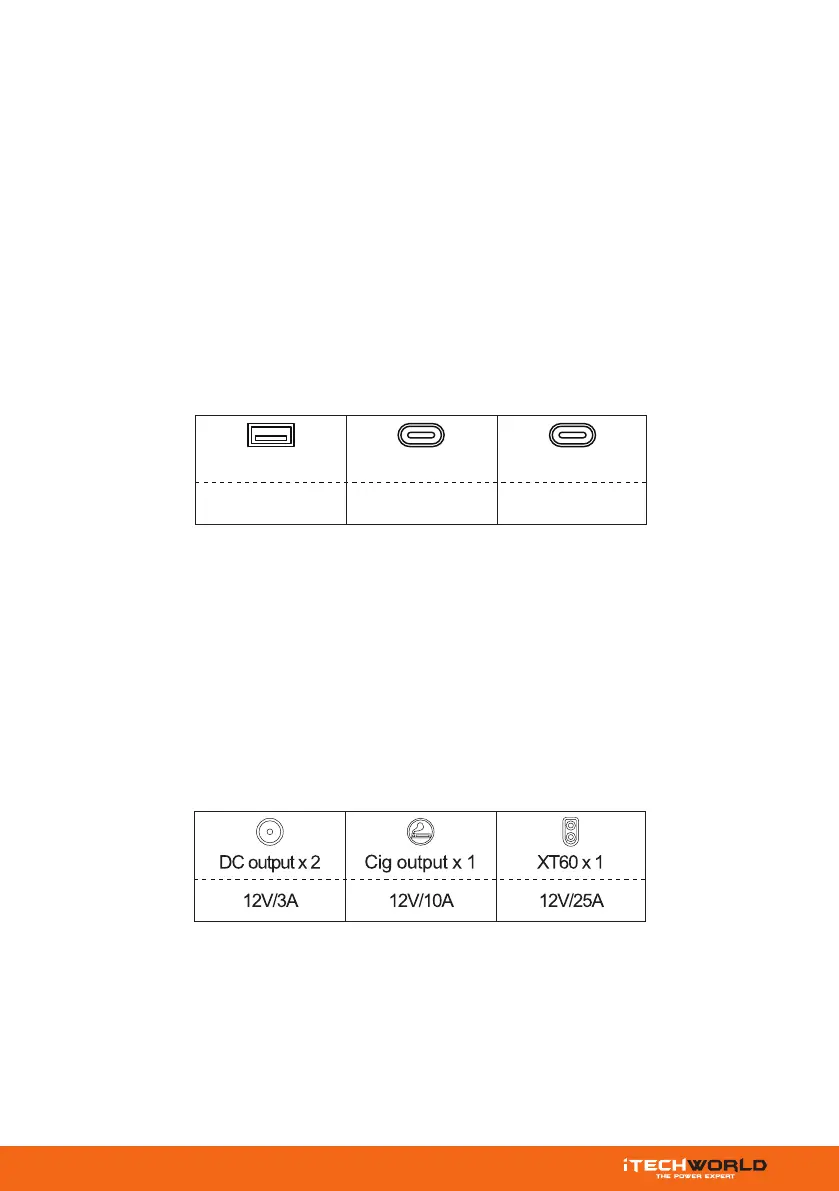
USB x 2 USB-C x 3 USB-C x 1
100W20W
QC 3.0



 To Next Page