Screws
Screws
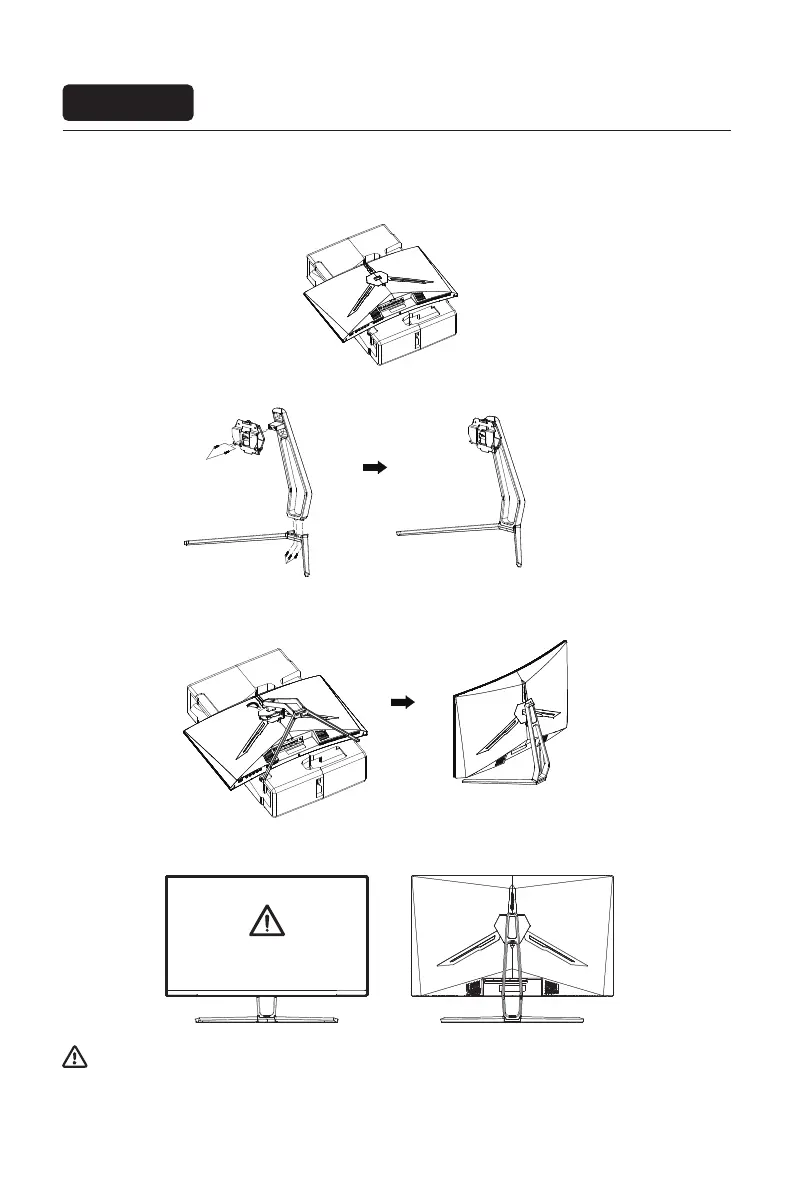
1. First open the carton, take out the foam and align the table top, after taking out the inner packaging, put the
body on the foam. Press the lock vertically by hand to remove the hinge assembly.
2. Use 2 screws to lock the shaft assembly and bracket, and then lock 3 screws to the base.
3. As above, vertically push the lock catch.Put stands assembly parts into slot of back cover accordingly and
make them mechanically placed.Hold the middle of stand and make surethe monitor won't drop out.
4. After assembly, simply hold the stand with hand to stand the monitor upright.
Do not press the LCD
Note: During standing of the whole monitor, do not press the liquid crystal screen with hand to avoid
damage to the screen.
Installation of base
Installation
Eng-3



 To Next Page