iTero Element 5D operation manual English
15
Chapter 6:
Changing sleeves
between patients
iTero Element 5D sleeve is intended for single patient use and
shall be replaced after each patient with the purpose to avoid
cross contamination.
For sleeve replacement proceed with the steps below.
CAUTION: Dispose of scanner sleeves according to standard
operating procedures or local regulations for the disposal of
contaminated medical waste.
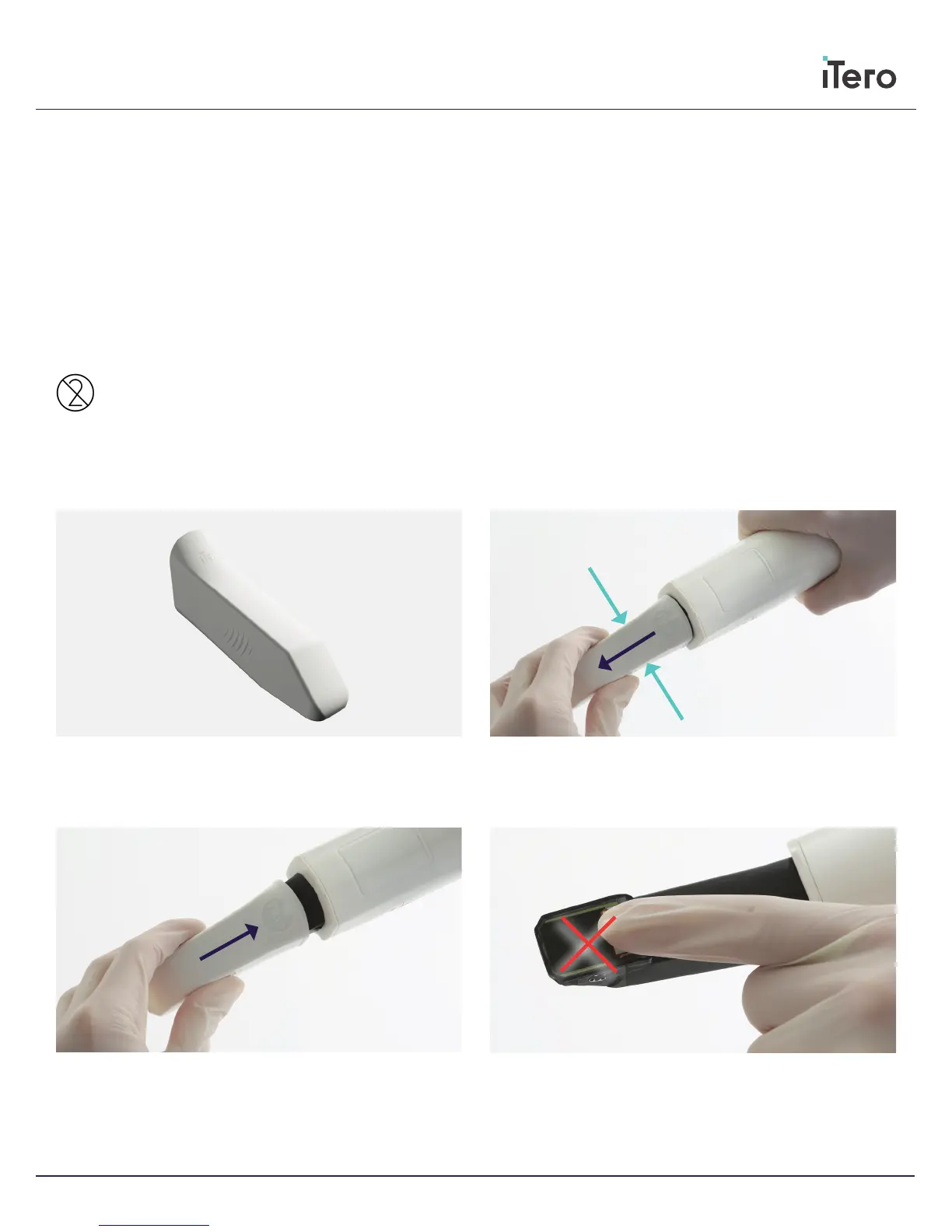
Step 1
When pulling a sleeve OFF or ON, hold the center of the sleeve.
Step 2
Press slightly on both sides of the disposable sleeve, pull the sleeve
slowly o the scanning unit and discard.
Step 3
Gently slide on new sleeve onto scanning unit until it clicks into
place.
WARNING: Optical surface!
DO NOT touch the optical surface. Contact may cause damage.
If cleaning is necessary, use the wipes and anti-static cloth found
inside the sleeves box. For proper use, refer to the directions found
in the scanner sleeves box.
Replacing disposable sleeves



 To Next Page