10
iTero Element 5D operation manual English
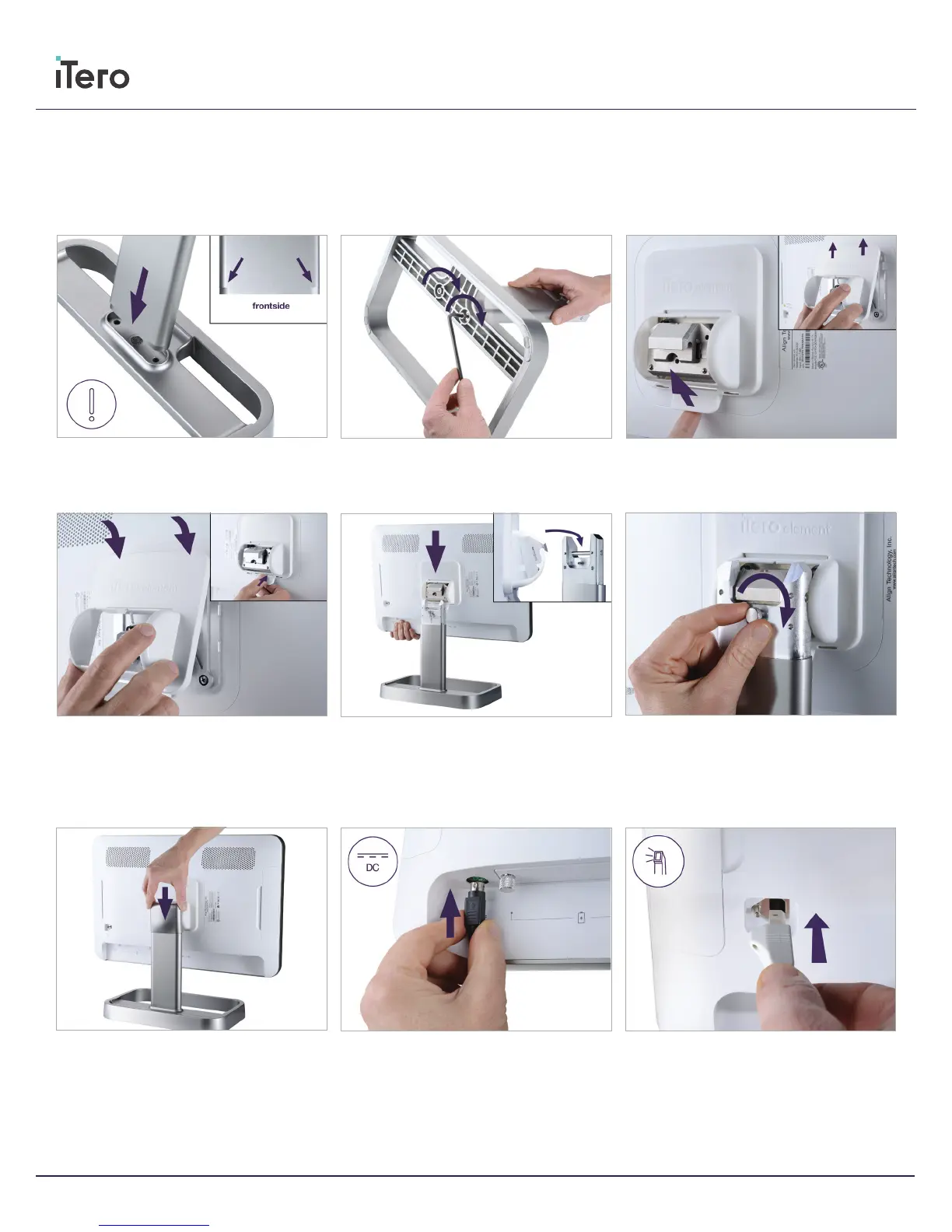
9.
Attach the wand cable on the back of the HD
screen
8.
Attach the power cable to the port labelled
DC
7.
Place the cover
Assembly of iTero Element 5D counter stand
Please follow the instructions below to assemble your iTero
Element 5D counter stand:
4.
Install new cover
3.
Remove cover
2.
Tighten the post using the allen wrench
1.
Insert post into frame.
5.
Lift the HD screen to mount it.
F
6.
Turn the scanner around and tighten thumb
screw to secure HD screen



 To Next Page