iTero Element 5D operation manual English
9
23.
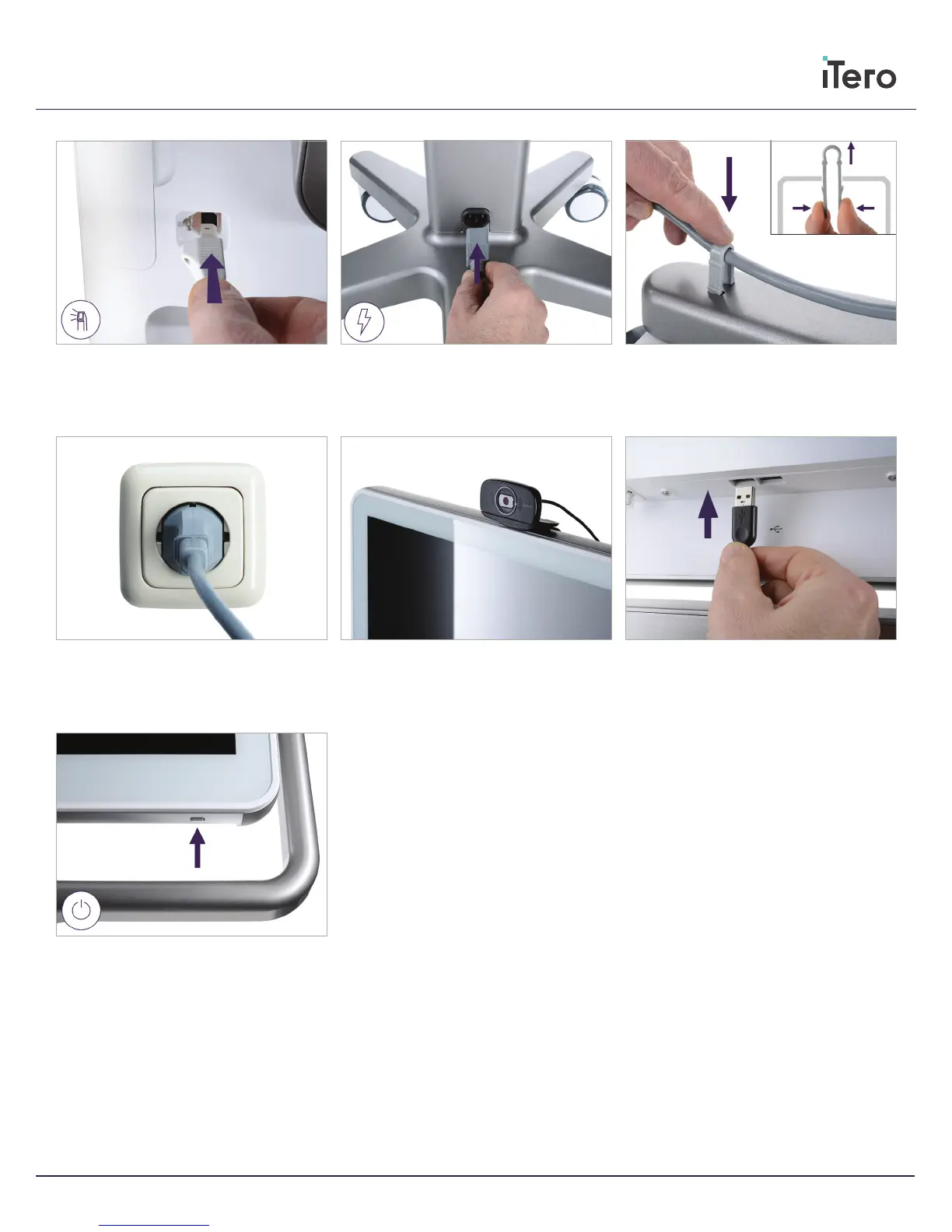
Plug in the webcam to the USB port at the
bottom of the HD screen
24.
Press button to switch on the scanner
20.
On the bottom of the wheel stand, post and
secure the cable with the clip
21.
Plug in the power cable
19.
Attach the power cable on the bottom of the
wheel stand
18.
Attach the wand cable on the back of the HD
screen
22.
Position the web camera on the HD screen
for remote training or support sessions



 To Next Page