Programmer's Guide PcOS Series 150 General Specifications
12/14/99 Rev G Page 11
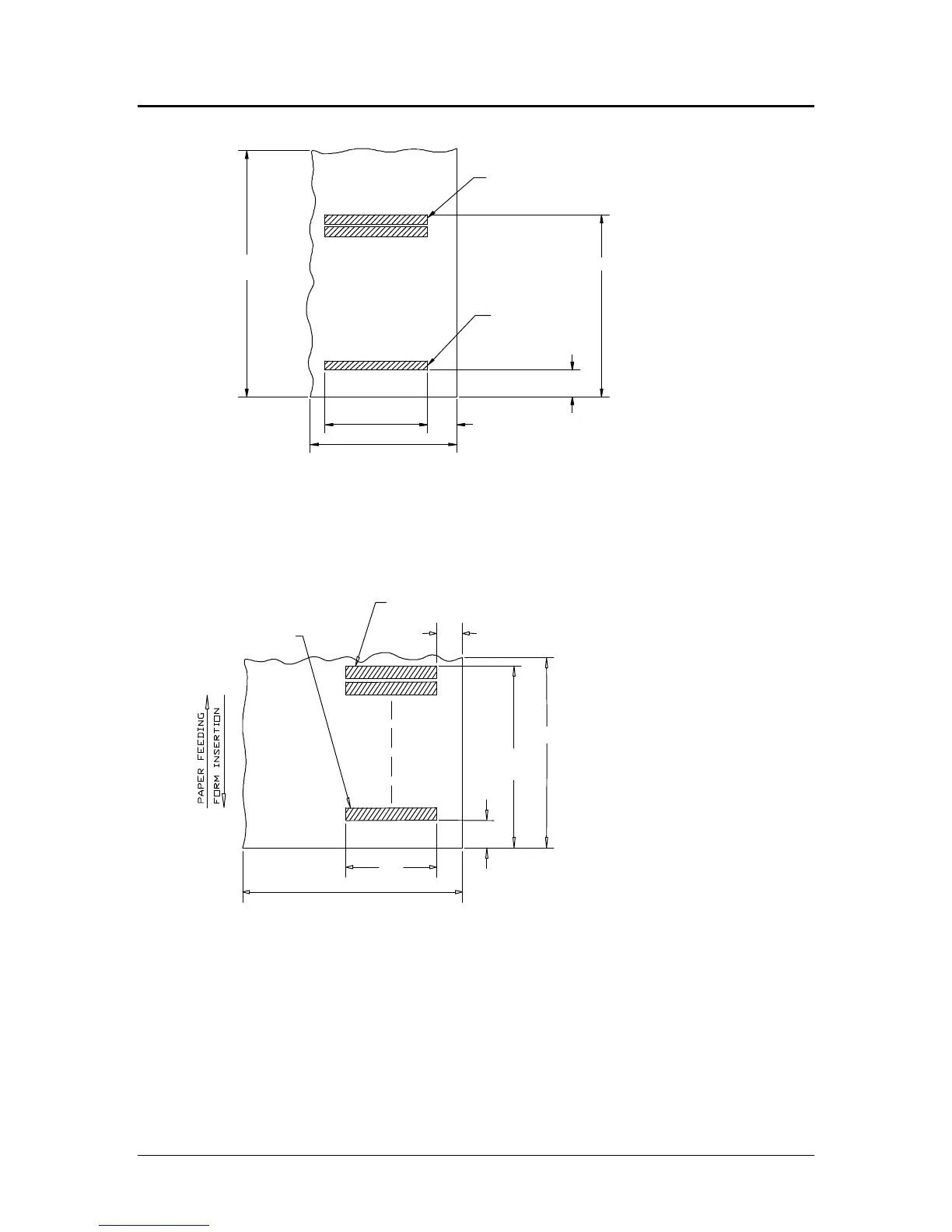
Validation - Top Insertion
First line of print
Last line of print
2.85 inches (72.39 mm)
0.68 inch (17.15 mm)
2.34 inches
(59.44 mm)
2.50 inches (min) (63.50 mm)
0.50 in
(12.70 mm)
4.25 inches (min)
(107.95 mm)
Figure 5 Validation print – top insertion
Validation - Left-side Insertion
Figure 6 Validation print – left-side insertion
Validation Forms Insertion
Form insertion is from the top or the left side of the printer. Automatic form location is
under software or firmware control. Character rotation under software control will allow
check validation to appear right-side up when the check is removed.
2.50 inches (min) (63.50 mm)
Last line of print
First line of print
0.50 inch
(12.7 mm)
2.85 inches
6.00 inches (min) (152.40 mm)
2.34 inches
0.68 inch (17.15 mm)



 To Next Page