A:
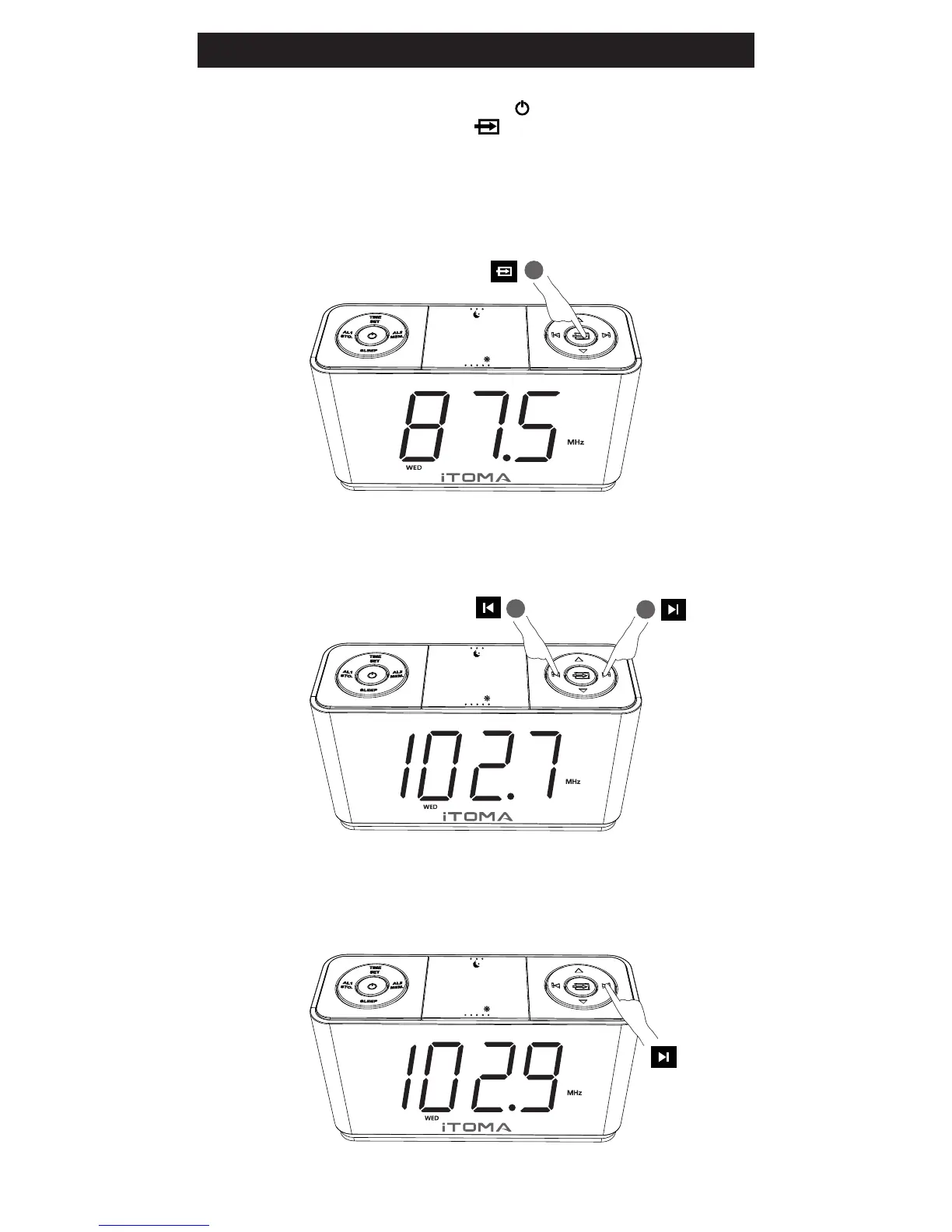
Power on:
Switch to Radio Mode
(Press SOURCE button)
Tuning the Stations
(Either press TUNE UP or TUNE DOWN)
B:
2
2
VOL+
VOL-
TIME ZONE
Z
Z
Z
Please press the Power button to turn ON the unit
and press SOURCE button to change to Radio
Mode before operating
1
VOL+
VOL-
TIME ZONE
Z
Z
Z
When station was found, it will stop automatically, press and hold
for 2 second again, it will go for the next station.
C:
Scanning the Stations
(Press the TUNE UP button for 2 seconds)
Listen to the Radio
Press 2s
VOL+
VOL-
TIME ZONE
Z
Z
Z
Press


 To Next Page