The battery backup is intended for short power outages only.The
unit’s primary functions cannot run on the battery backup alone.
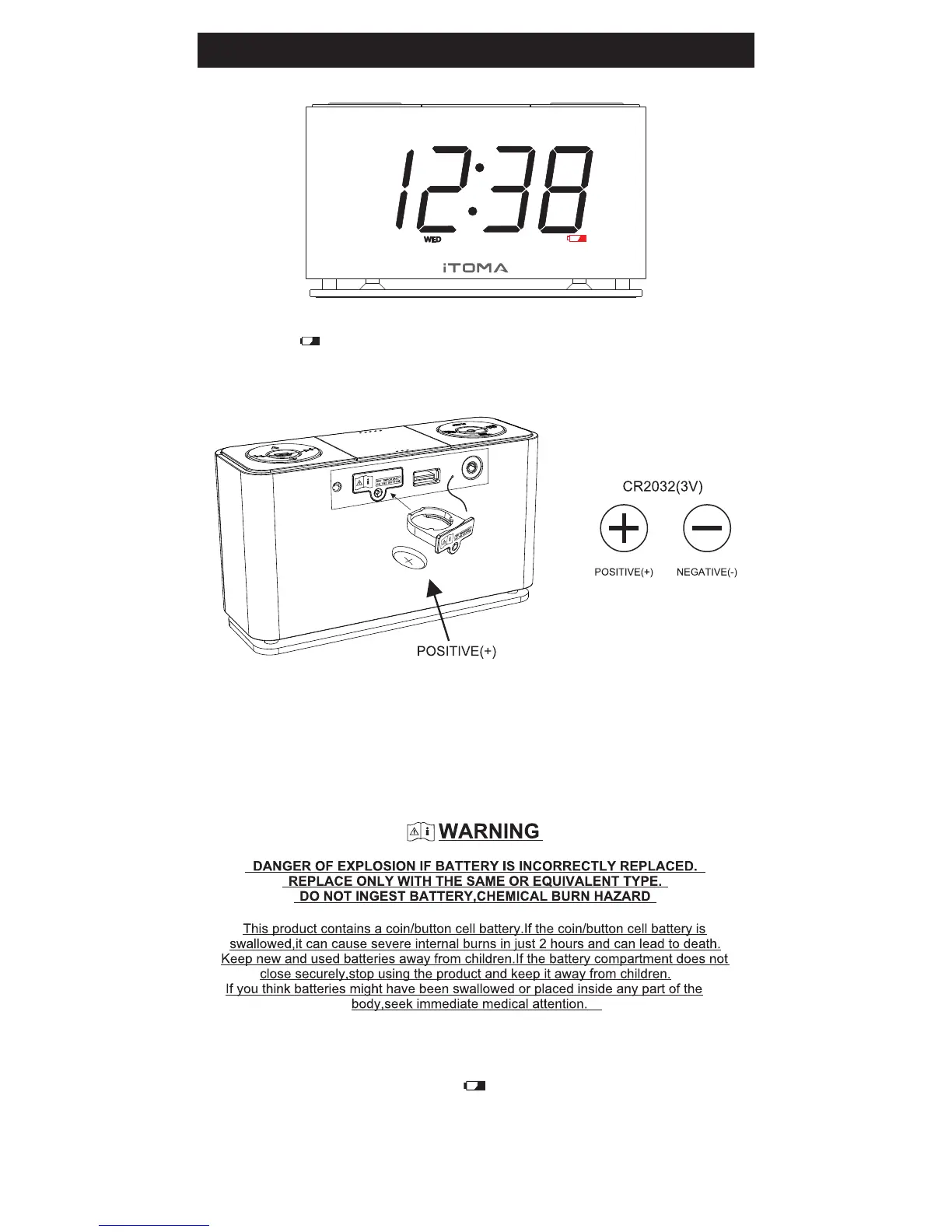
This unit uses a button cell battery that will last up to 1 year and
maintains the time.
Changing the Lithium Battery
When the LOW BATTERY sign blinks , you should change
the battery that is used for backup clock and alarm setting .
Resetting The Clock After A Total Memory Loss
If you do not change the built in lithium battery within a reasonable
period of time afteryou see the warning indicator, the lithium
battery may become exhausted and will no longer be able to sup-
ply back up power to the clock radio internal computer.If the unit is
disconnected from the AC outlet after the battery is exhausted, or
if a power interruption occurs, the clock radio memory will be lost
and the clock will need to be reset when the power is restored.



 To Next Page