2
.
1
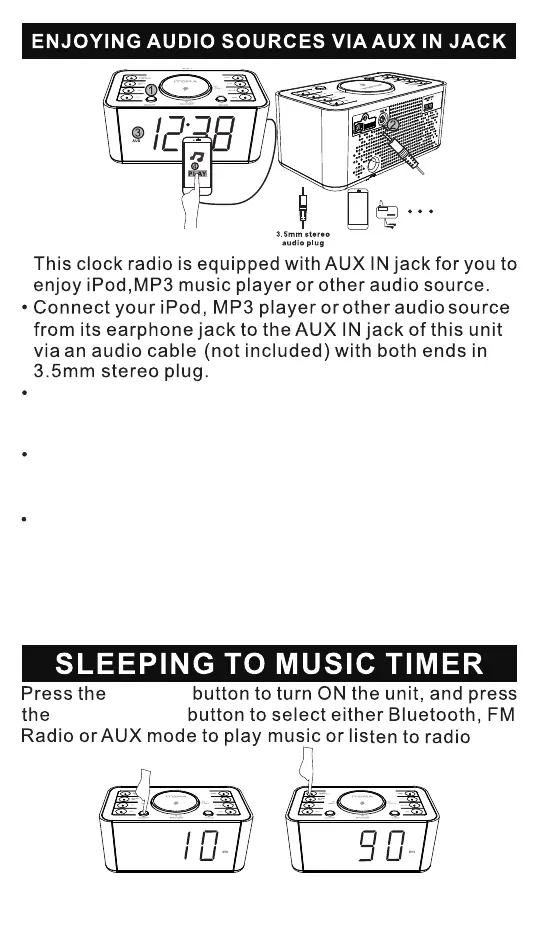
Press the WEEK/MODE button repeatedly until the
display switch to AUX function mode and the indicator
will light up
Start to play iPod, MP3 music player or other audio
player,and set the player volume to its maximum
whennecessary.
Adjust the volume of this clock radio to meet your
desiredlevel as well
Note: When alarm time comes, music playing through
the AUX IN jack will be muted, and Wake-To-Music or
Wake-To-Buzzer can only be heard according to your
alarm setting
ON/OFF
WEEK/MODE
- 12 -


 To Next Page