
 Need help?
Do you have a question about the ITRON IMR and is the answer not in the manual?
Discusses precautions for using the equipment and potential voiding of authorization.
Prohibits operating transmitters on commercial aircraft; battery must be removed for air shipment.
Details compliance with FCC RF energy exposure limits, including SAR limits and testing.
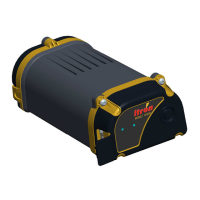
Details the features common to all Itron Mobile Radio models.
Lists other relevant documents for the Itron Mobile Radio and FCS app.
Lists components included with both portable IMR and mobile IMR-FT models.
Instructions for plugging in the micro-USB cable and charging the battery.
Steps for connecting the DC power cable to the charge base and vehicle power.
Explains how to power the radio on and off using battery or external power.
Describes the LED colors and patterns for common power conditions.
Describes LED colors and patterns for common communication conditions.
Provides specifications for the external vehicle antenna, including part number and frequency.
Outlines tasks for installing the antenna, including location selection and mount types.
Details routing and installation of DC power cables, including removable and permanent methods.
Explains installing the mounting jacket and plate, including seat belt, partition, and pedestal options.
Procedure for disconnecting cables and releasing the IMR-FT from the mounting jacket.
Instructions for cleaning the radio's casing and protecting the USB port.
Step-by-step guide for replacing the battery, ensuring water tightness.
Recommends replacing antenna cable connections and notes indoor servicing.
Covers inspecting, cleaning, and replacing parts of the external antenna system.
Practices to ensure long battery life, including charging and temperature guidelines.
Instructions for safe use and care of the AC power adapter.
Provides common issues and their corresponding solutions for the radio.
Tips for maximizing radio performance and data collection factors like absorption and shielding.
Guidance on pairing the radio with Windows devices, recommending the Itron Pairing Tool.
Step-by-step instructions for pairing the radio with a Windows device using the Pairing Tool.

 To Next Page
 General