Home
iTronics
Dash Cameras
iPASS BLACK ITB-70
Page 25 (File Management in Player)
iTronics iPASS BLACK ITB-70 - File Management in Player
37 pages
Manual
Save Page as PDF
To Next Page
To Next Page
To Previous Page
To Previous Page
Loading...
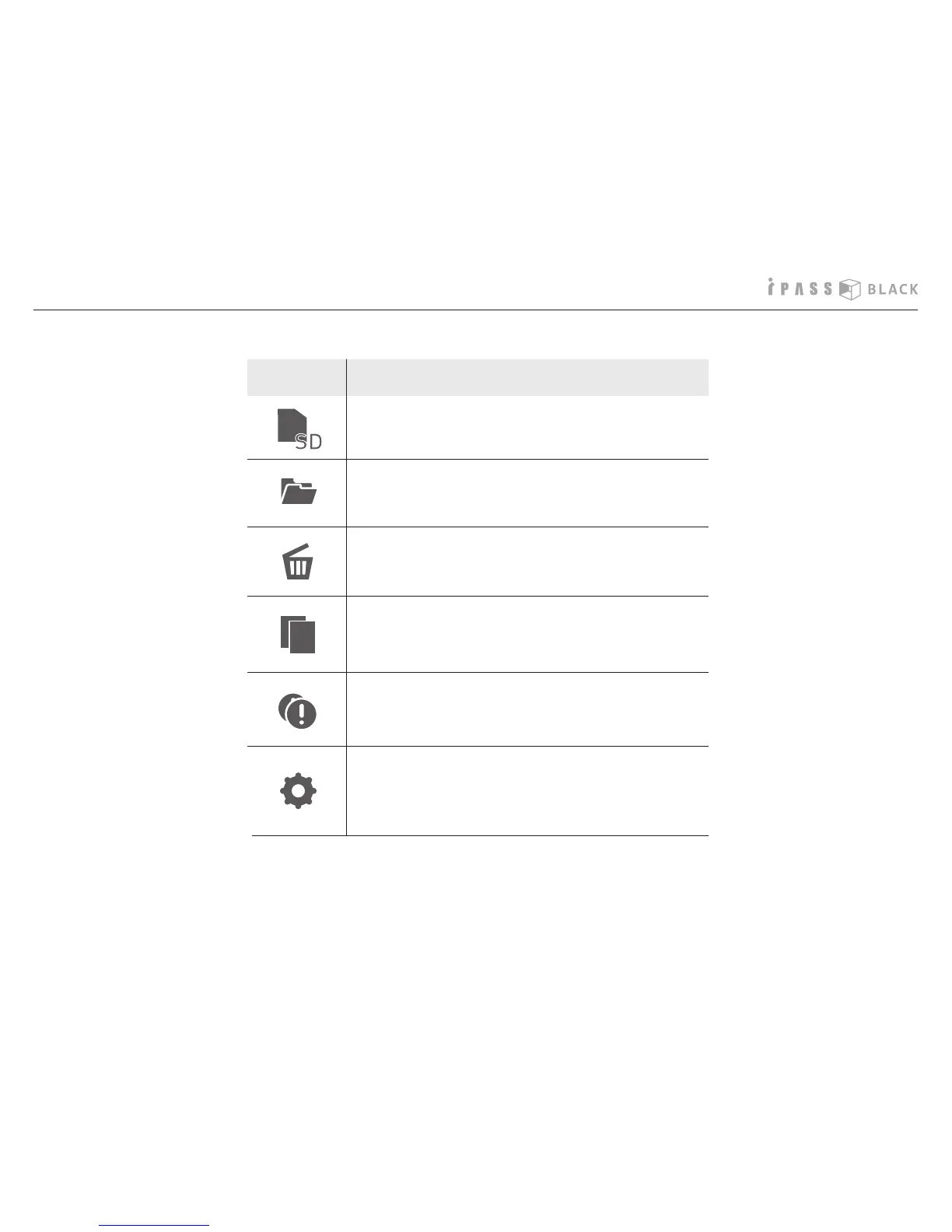
Icon
Description
23
Select the SD memor
y card
Open the le from the PC
Delete the le (one by one)
Save the le (one by one)
Save all ev
ent les marked event icon
Setting
- F
or more details, please ref
er to nex
t page
F
unc
tion k
eys in the PC pla
y
er
24
26
Table of Contents
Main Page
Table of Contents
3
Main Features
4
Safety Instruction - Warning
6
Safety Instruction - Caution
7
Attention to SD Memory Card
8
Attention to GPS
9
Components
10
Name of the Product Details
11
Installation
12
Operation of the Product
14
Installation of the PC Player
16
How to Play the Video
18
Function Keys in the PC Player
22
How to Change the User Settings
26
How to Change the Time Setting
28
How to Manage the Recorded Files
30
How to Update the Product Firmware
32
How to Format the SD Memory Card
34
Product Specifications
36
Related product manuals
iTronics ITB-500HD
42 pages
iTronics ITB-100HD
44 pages



 To Next Page