This products records video/audio with always-recording mode and the recorded les are stored at SD memory card as per the resolution
of User Setting Menu. The list of les stored is shown as per sequential order of recorded date and time. The event recording les, out of all
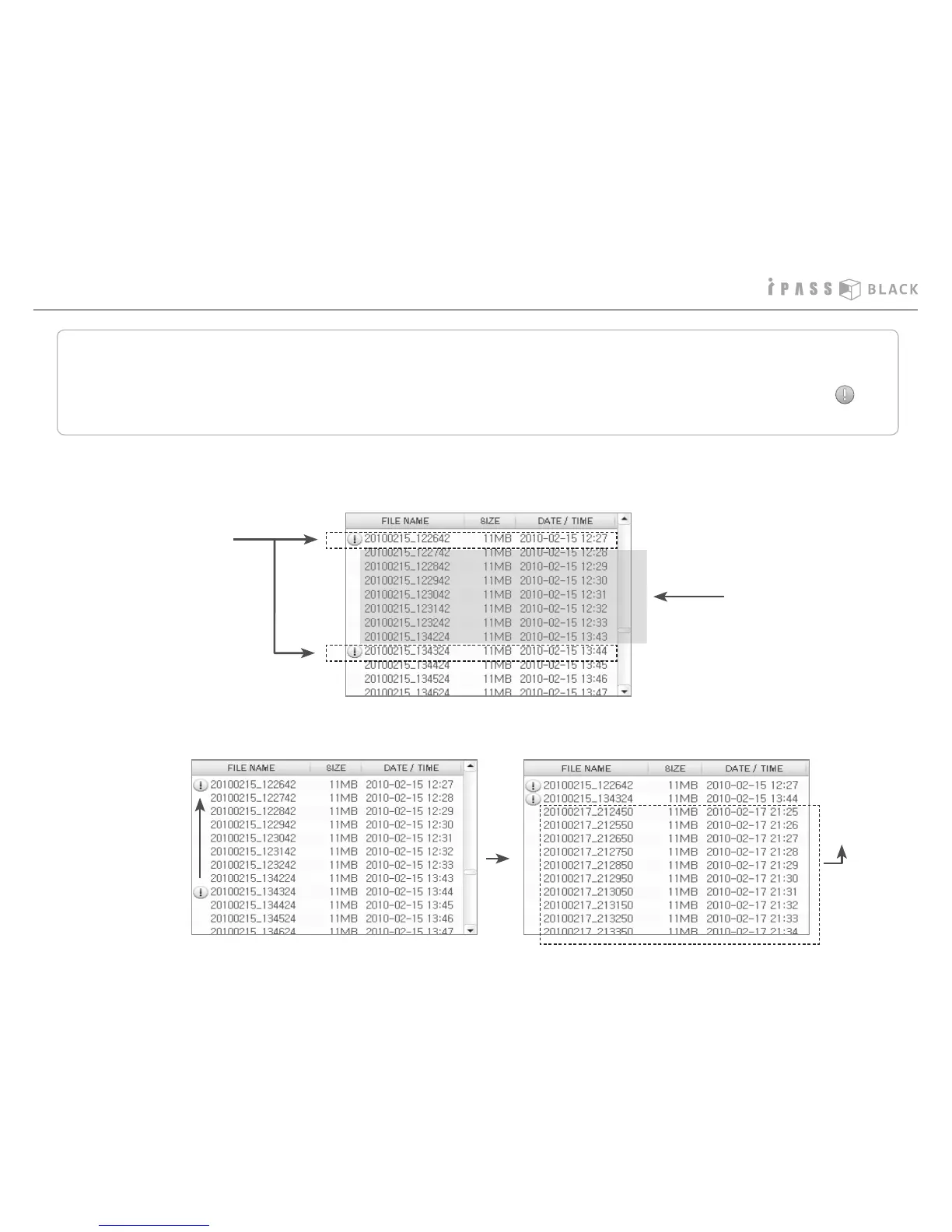
recorded les, which record events such as impact sensing and/or manual-recording, should be easily identied by the event icon to
be placed in front of the le name.
How to manage the recorded les
1. Ordinary recording les and event recording les are stored together as per the time sequence of recording from the
very beginning of recording start until SD memory capacity becomes full and the le list window will show the les
from the oldest.
Event recording les
Ordinary recording les
Delete the ordinary
recording les and
Event recording les
are kept
Newer ordinary
recording les
2. Once the memory capacity is full, event recording les are kept and newer ordinary recording les will be sequentially stores.
28



 To Next Page