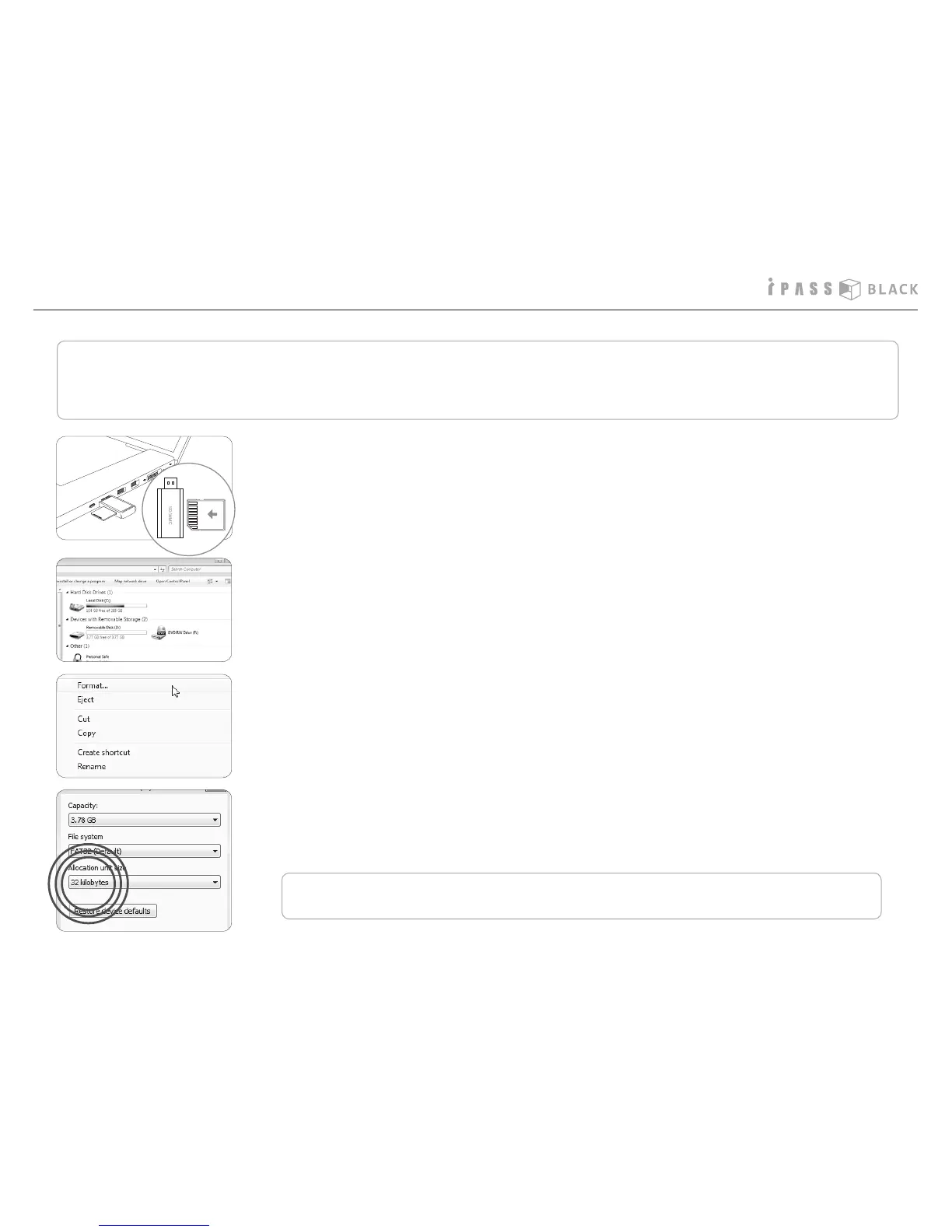
How to format the SD memory card- method 1
Generally, a SD memory card has limited lifetime and may be unable to store new data after certain period of time. In order to extend its
lifetime, we recommend you to format the SD memory card periodically. The recommendable format cycle is 2 times per week and the
method of format is as follows.
1.Pull out the SD memory card from the main unit and insert it into the memory
card reader as shown on the left picture. Then put the memory card reader
into the USB port of the PC.
2. The SD memory card will be detected as USB disc.
3. Please select the USB disc and push the right button of the PC mouse. The
menu screen will pop up and please select the ‘format’.
4. Before starting the format, please select the allocation size referring to
memory capacity of SD memory card. (e.g. : 4G - 4096 Byte , 8G - 32 KB )
Click the start icon and the format will start.



 To Next Page