III. Connect UPS communication cable
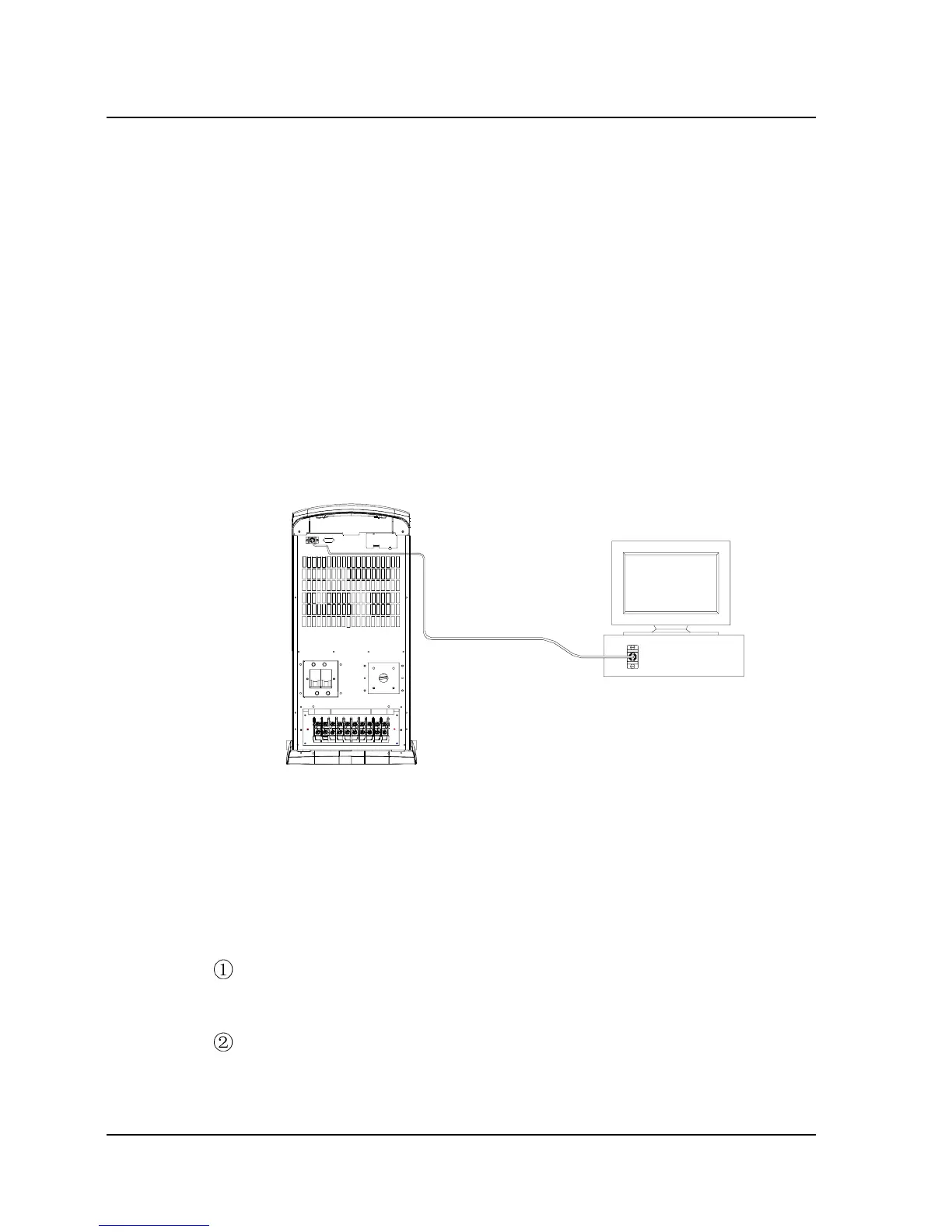
1. User may, according to actual needs, use the RS-232 cable
(universal type) delivered with the UPS to connect the RS-232 port of
the UPS to that of the computer, or use the dry contact cable to
connect the dry contact port of the UPS to the RS-232 port of the
computer (connect the cable end marked with “UPS” to the dry
contact port, and the end marked with “PC” to the computer), as shown in
Fig. 2-4. The 2 connection methods result in different
communication functions, as described in Appendix 1. User may
refer to Appendix 1 to select suitable connection method.
RS-23 2
DRY CONTACT
INTELLIGENT SLOT
INPUT BREAKERBYPASS BREAKER
MAINTAIN SWITCH
RS232 cable
computer
Fig. 2-4 Connection Between UPS Communication Port and Computer
(Take RS-232 cable as an example)
2. For users who use SNMP adaptor, please follow the steps below
to install the SNMP adaptor:
Remove the screws of the SNMP adaptor slot cover, then take off
the cover, as shown in Fig. 2-5(a). Retain the cover for future use;
Insert the SNMP adaptor into the slot, and fix it with screws, as
shown in Fig. 2-5(b);
18 Chapter 2 Installation
E1-20010916-C-1.0



 To Next Page