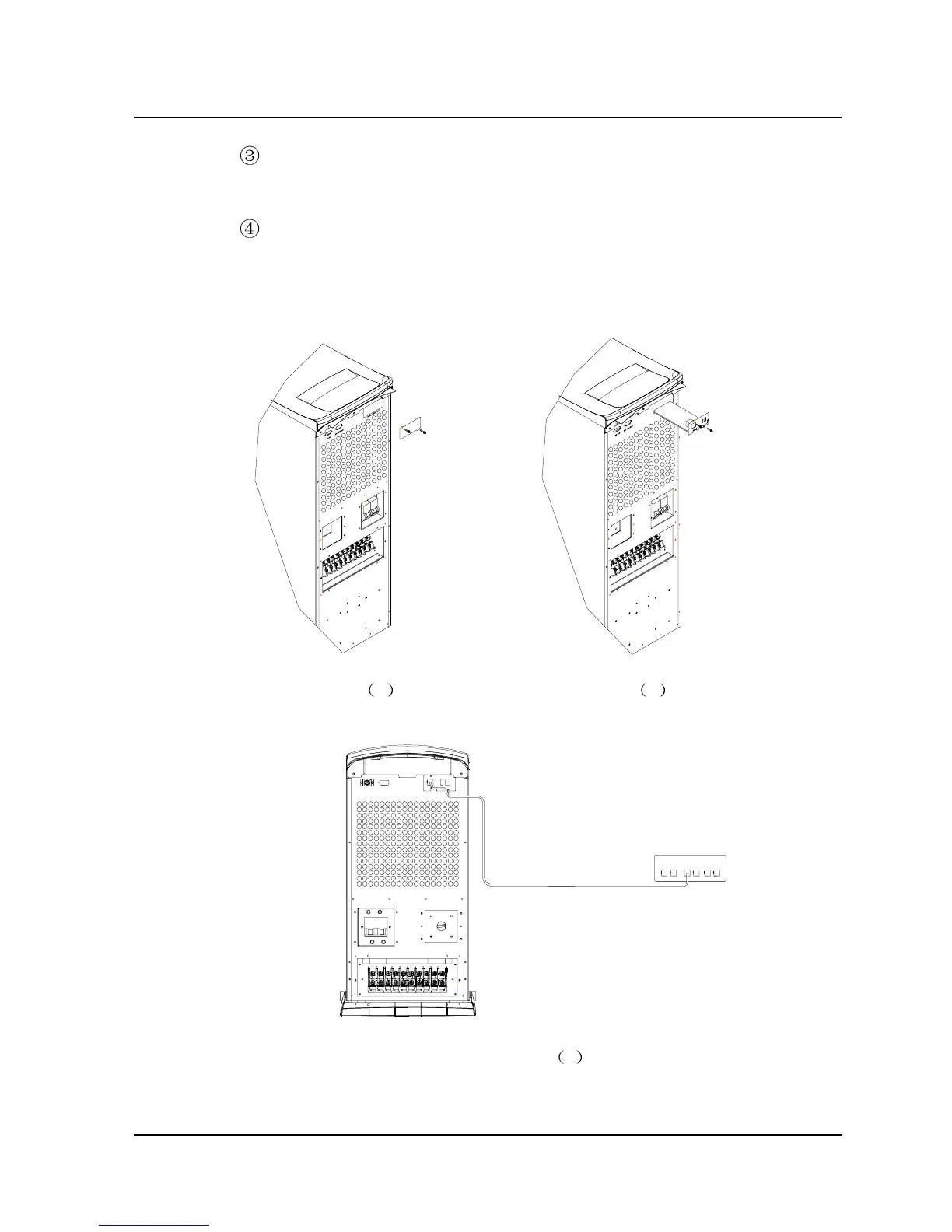
Use network connection cable to connect the UPS to the network
port of the computer, as shown in Fig. 2-5(c);
For setting of the SNMP adaptor, please refer to the documents
delivered with the monitoring software.
Fig. 2-5 a Fig. 2-5 b
BYPASS BREAKERINPUT BREAKER
Concentrater
Network connection cable
MAINTAIN SWITCH
DRY CONTACT
RS-232
INTELL IGENT SLOT
Fig. 2-5 c
Fig. 2-5 Installation of SNMP Adaptor
Chapter 2 Installation 19
E1-20010916-C-1.0



 To Next Page