ITW Dynatec c. 2004
DYNAMINI ASU Manual #20-25
Page 5-1
Revised 1/05
Chapter 5
PROGRAMMING INSTRUCTIONS FOR DYNAMINI CONTROLLER
Dynamini Keypad
Main Power Switch
Pump Switch
Temperature
Display
Temperature
Scale
Scroll Keys:
to increase value to reduce value
Temperature Zones: Hose #1 Hose #2 Application Head #2 Application Head #1
I
O
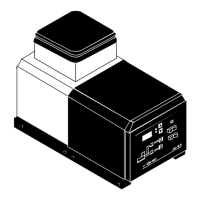
Dynamini
Hopper
Temperature
Zone
Programming
Turn controller ON
Turn ON the main power switch.
System will go through its self-diagnostics (CAL).
Temperature zone LEDs will flash.
Controller will display “SS 1” (On) or “SS 0” (Off) to
indicate status of the Sequential Statup feature
(see info on “Sequential Startup” later in this chap-
ter).
Controller will display it’s software version, ie.
V.2.XX
1
1
22
I
O
I
O
Service Key
or


 To Next Page