Initial Operation
24
5.3.3 Placing the PrograMill Tank onto the pull-out shelf
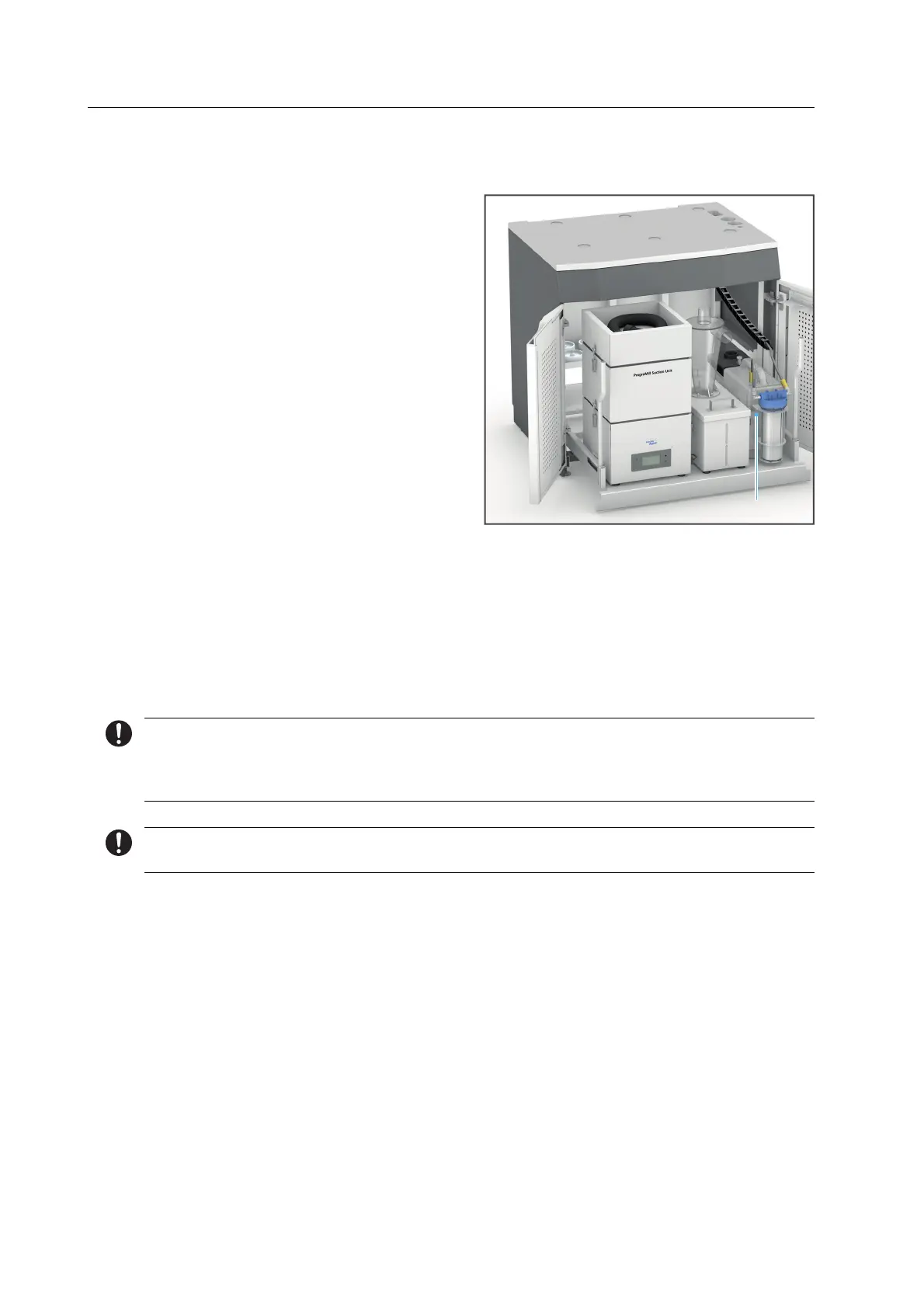
Position the PrograMill Tank (1) next to
the separator as shown.
Connect the tubes to the PrograMill
Tank and Filter (see PrograMill milling
machine Operating Instructions,
“Supporting documents”, page 7).
5.3.4 Connecting the tubes and cables
PrograMill milling machine placed onto the PrograMill Base (“Placing the PrograMill
milling machine onto the PrograMill Base”, page 20)
PrograMill accessories set up (“Setting up the PrograMill accessories”, page 22)
Cables and tubes connected to the PrograMill Suction Unit and PrograMill Tank / Filter
Further information on the PrograMill Suction Unit, the PrograMill milling machine and the
PrograMill Tank connections can be found in the PrograMill Suction Unit and the PrograMill
milling machine Operating Instructions (“Supporting documents”, page 7).
In the following, the PrograMill Base is shown without the PrograMill milling machine.
1


 To Next Page