51
6.2 Firing with an individual program
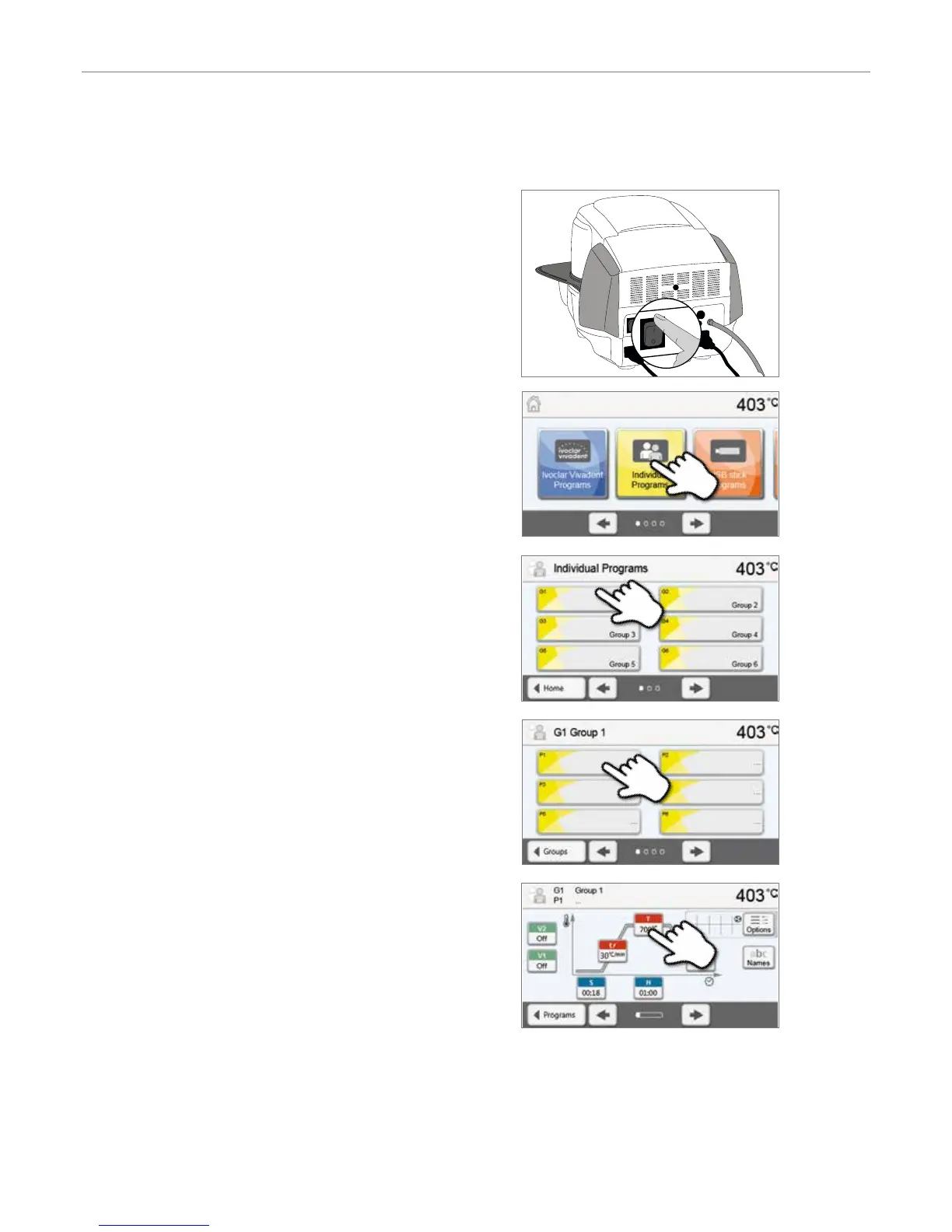
Step 1:
Switch on
Switch on the furnace with the mains switch at the rear of the furnace.
The furnace conducts an automatic self-test.
Wait until the furnace has reached the set stand-by temperature.
Step 2:
Select the program
After the self-test, the display shows the home screen. Press the
[Individual Programs] button.
Step 3:
Enter the parameters
Enter the individual parameters and create the desired firing program
(see Chapter 5.2.3 for details).
Step 4:
Load the furnace
Open the furnace head with the OPEN FURNACE HEAD key and
place the object on the firing tray in the furnace.
Select the desired program group.
Select the desired program.
6. Practical Use


 To Next Page