22
5.1 Introduction to the operation
5.1.1 Control unit
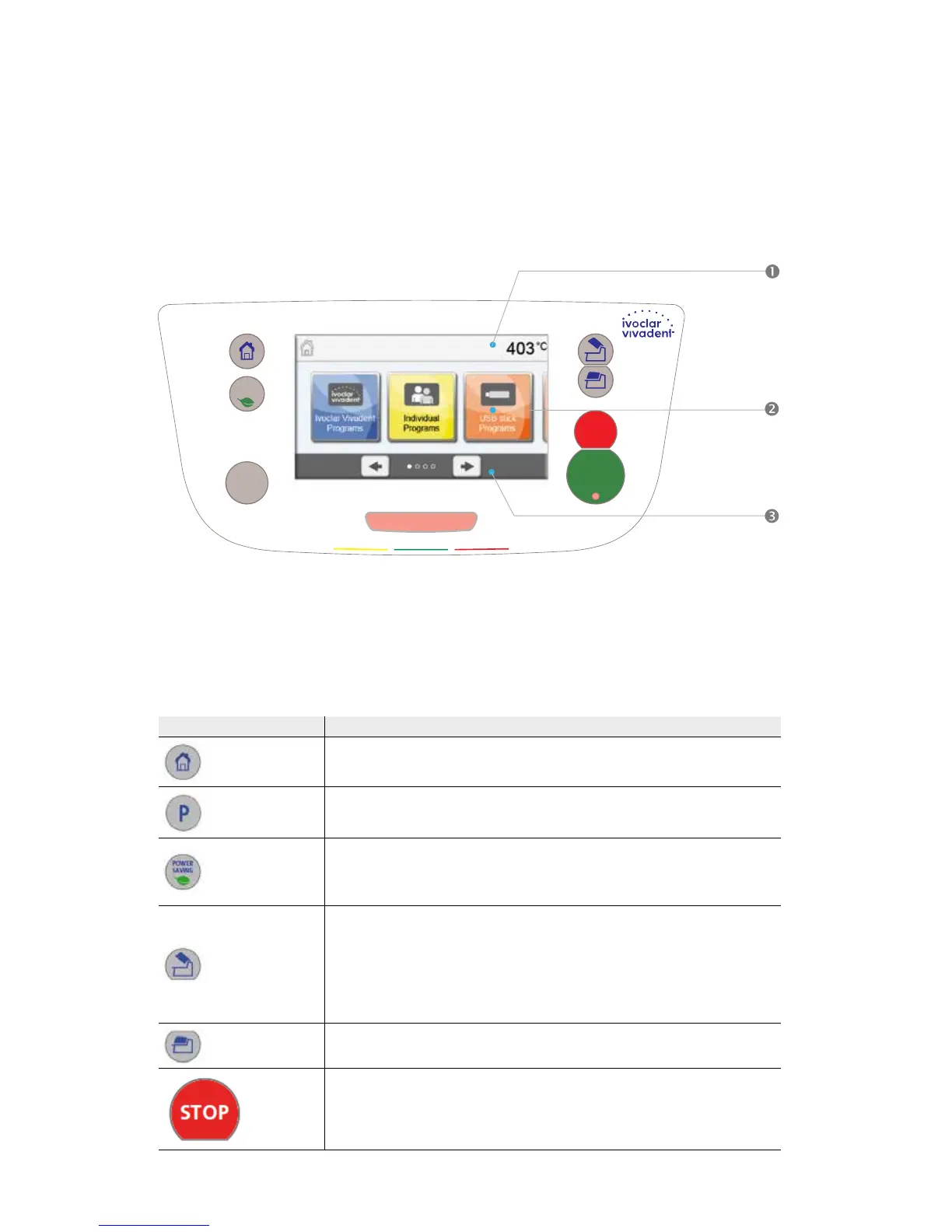
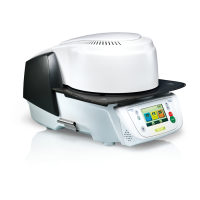
The Programat P310 is equipped with a widescreen colour display. The furnace can be intuitively operated by means of the
membrane-sealed keypad and the touch screen. The touch buttons can be actuated by slightly tapping the display with the
fingertip and the furnace runs the desired function.
The user interface in the display is divided into three sections:
1. Information bar (e.g. indication of the current furnace temperature, selected program type, etc.)
2. Main screen (e.g. editing firing programs, changing the settings, etc.)
3. Navigation bar (e.g. scrolling, scrolling to higher levels, etc.)
5.1.2 Explanation of key functions
Key Function
Home
Switch to home screen (main menu).
Program key
Press once: Display of the currently selected program.
Press twice: Switch to the program selection via number entry.
Power-saving key
Power-saving function activated (only possible with the furnace head closed and the
furnace on idle). The display shows the power-saving icon. Pressing any key ends the
power-saving function.
Open furnace head
Quick cooling with the furnace head open:
If the furnace head is completely open and the OPEN FURNACE HEAD key is pressed
again, the quick cooling function is activated, e.g. the vacuum pump is switched on for
5 minutes. This function can be stopped at any time by pressing the STOP, CLOSE
FURNACE HEAD or START key. This function can be activated any time when the furnace
head is open.
Close furnace head
STOP
A program in progress can be paused by pressing the STOP key and stopped by pressing
STOP twice. Movement of the furnace head can be stopped at any time by pressing
STOP. The acoustic signal can be confirmed by pressing the STOP key.
5. Operation and Configuration
P310
Programat
11.99 FFR = RAL 9016 Verkehrsweiß Verschwindeef.
0505.9003.444.72
10.99 FFR = RAL 7035 Lichtgrau (Hinterdruck)
0505.7035.000.00
8.99 FFR = RAL 3020 Verkehrsrot
0505.3020.000.00
9.99 FFR = RAL 6024 Verkehrsgrün
0505.6024.000.00
7.99 FFR = RAL 1018 Zinkgelb
0505.1018.000.00
6.99 FFR = RAL 9016 Verkehrsweiß
5.99 FFR = RAL 7035 Lichtgrau
4.99 FFR = RAL 3020 Verkehrsrot
3.99 FFR = RAL 6024 Verkehrsgrün
2.99 FFR = RAL 5002 Ultramarinblau
1.99 FFR = RAL 7012 Basaltgrau
0505.9003.000.00
0505.7035.000.00
0505.3020.000.00
0505.6024.000.00
0505.5002.000.00
0505.7012.000.00
Kunden-Artikel Nr. : P310
Farben der Zeichnung entsprechen nicht den Siebdruckfarben
Abmessungen siehe Fertigungszeichnung
Hinweise :
Farben Frontfolie :
= Ausstanzung


 To Next Page