14 / 15
www.iwavecomms.com
4.Case
4.1.Configuration
Power on the FDM-615PTM and connect it with PC.
Default IP Address:
Center node:192.168.1.3/24
Access node:192.168.1.2/24
Access node:192.168.1.4/24
Set the computer IP wtih same network segment address. Such as
192.168.1.99/255.255.255.0
Visit device default IP via IE browser(version 11) and input the user name and password. Then
you can configure the device per your requirement.
4.2.Monitor the video from the PC
Set the PC IP address with 192.168.1.99
IP Camera’s IP address:192.168.1.21
Visit http://192.168.1.21 and input the IP camera user name and password.
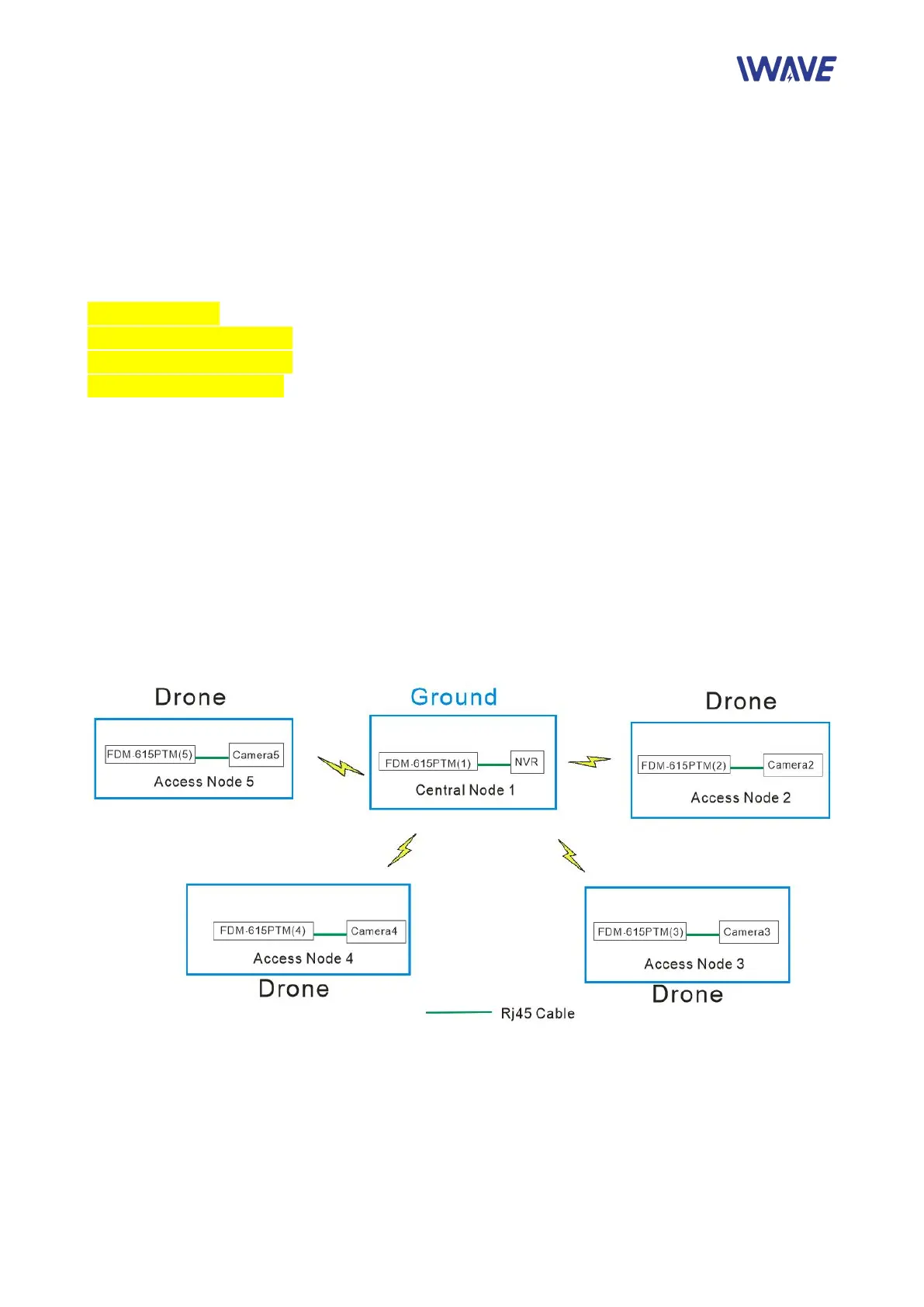
4.3. Visit the IP Camera via NVR
Access Node 2----CAMERA2
IP Address: 170.218.2.21
Subnet Mask: 255.0.0.0
Gateway: 170.18.15.6(NVR IP Address)


 To Next Page