8 / 15
www.iwavecomms.com
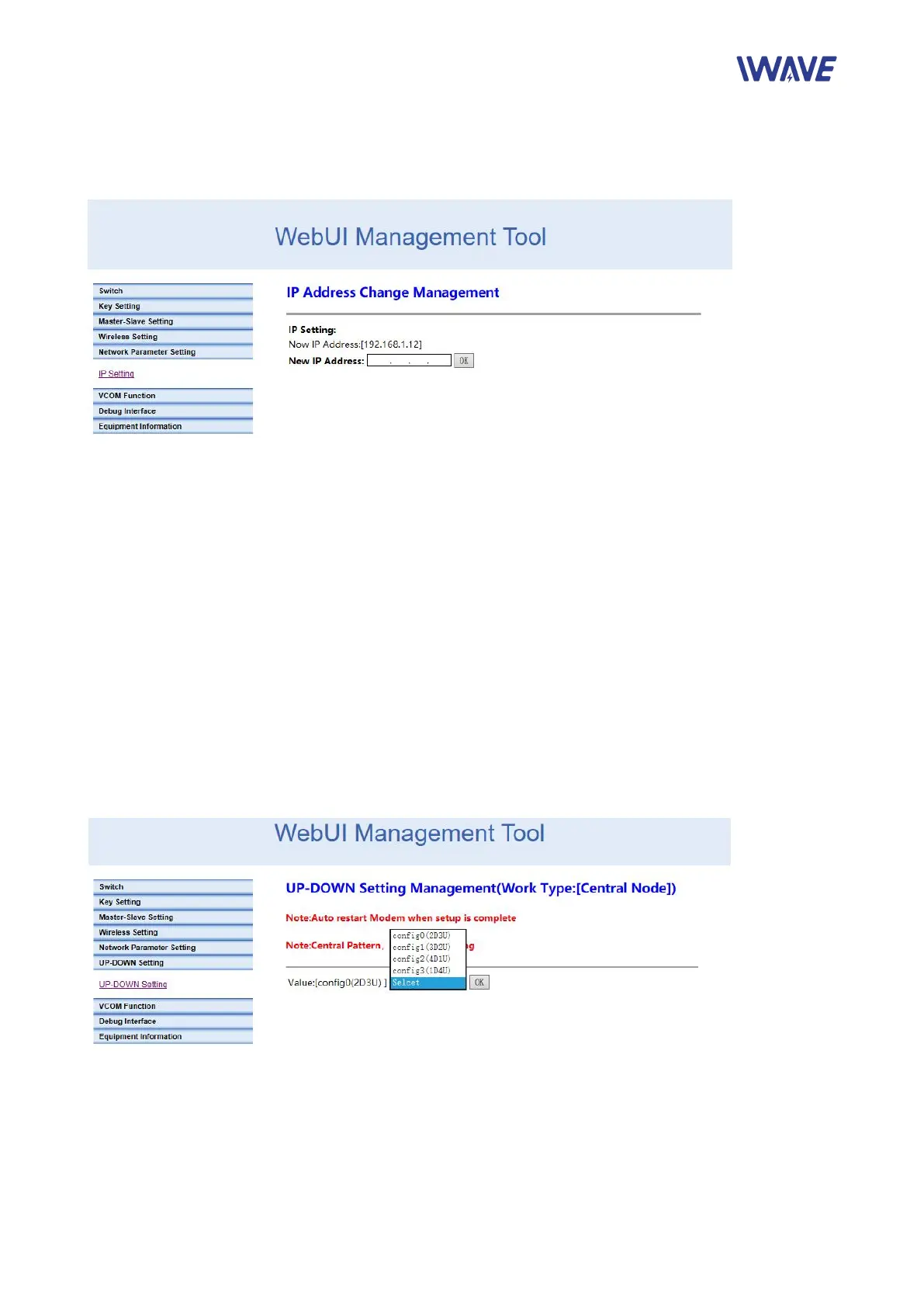
2.1.5.Network Parameter Setting
Set IP address of the node. The initial IP address is http://192.168.1.XX
2.1.6.Uplink and Downlink Setting
Four uplink and downlink modes:
config0(2D3U)
config1(3D2U)
config2(4D1U)
config3(1D4U)
D=DOWN, U=UP
Note: Only the central node can modify the uplink and downlink settings, and the device needs to
be restarted to take effect after the setting is successful.
There is no need to manually change the access node’s configuration. Becasue the access
node will automatically change its configuration according to the central node and obtain the new
configuration after it access to the network.
When the master node is configured with different bandwidths and different subframes,


 To Next Page