5 / 15
www.iwavecomms.com
overwritten.
After the factory settings are restored, the account and password are restored to their initial
values.
"Login", "Registration", "Modify Password" need to configure the IE browser,
tools-options-Internet options-security settings-enable ActiveX controls and plug-ins.
Note: Administrator login does not require the above steps.
Add the local and remote IP addresses of WebUI as trusted sites.
The user name is 6-20 characters composed of letters and numbers, and the first character
must be a letter.
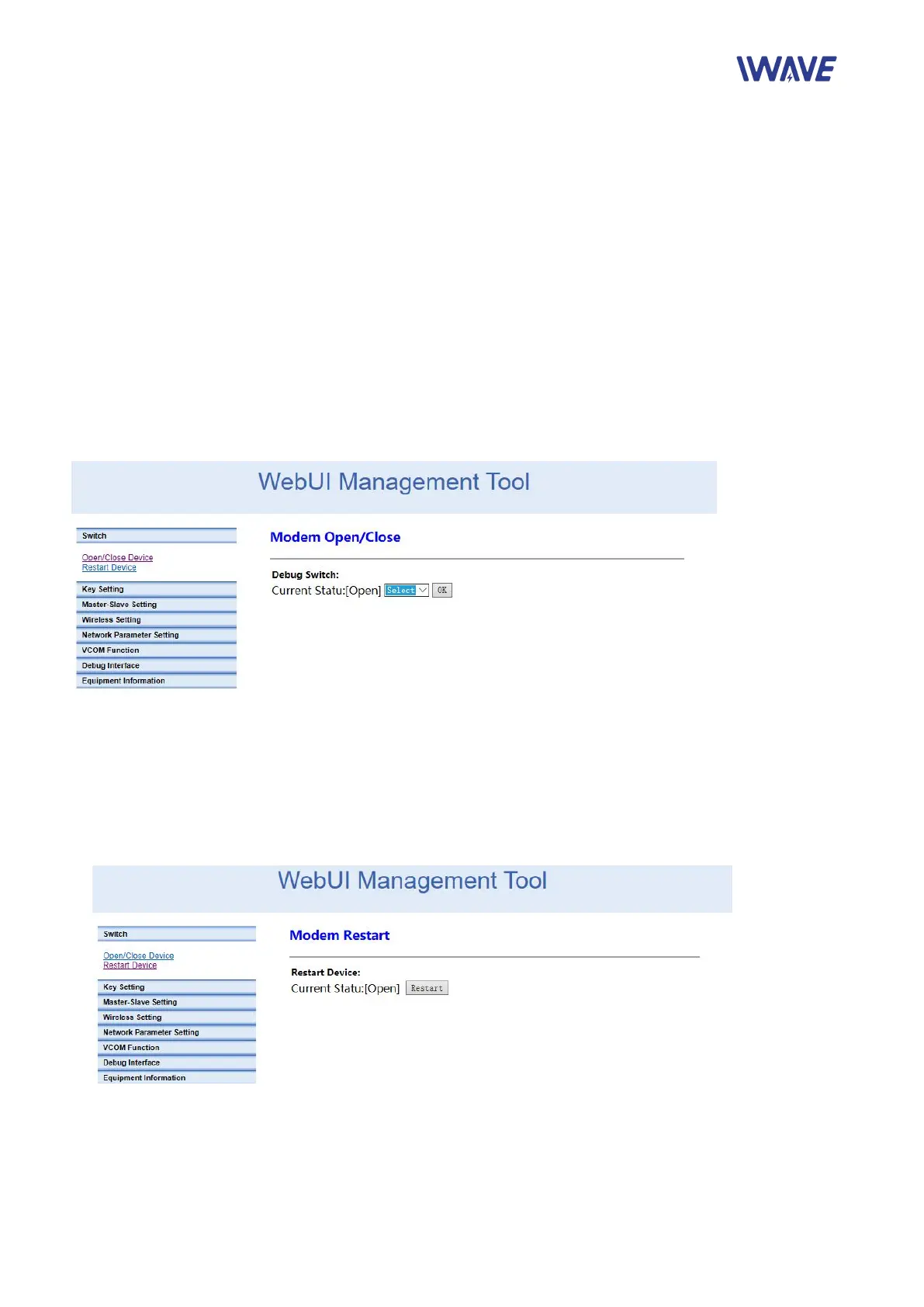
2.1.1. Home Page Debugging Switch
Modem switch setting: on/off
Modem Restart Setting


 To Next Page