Become Familiar with the FreeNAS
®
Mini
The FreeNAS
®
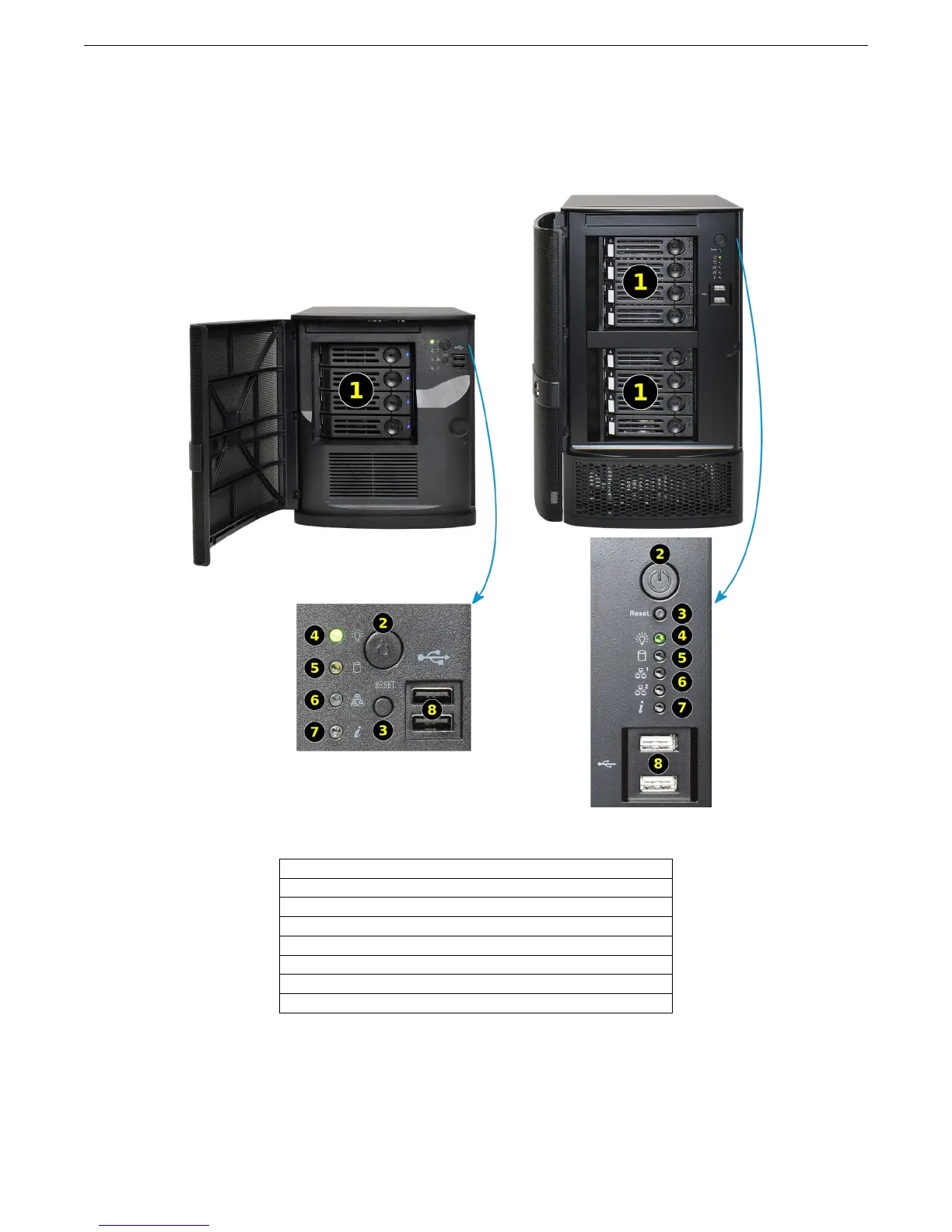
Mini and Mini XL share the same capabilities except for the number of drive bays.
A lockable door covers the drive trays and front panel controls.
1: Four hot-swap drive bays (eight on the Mini XL)
2: Power button
3: Reset button
4: Power indicator
5: Hard disk drive access indicator
6: Network activity indicator (two on the Mini XL)
7: Unit identify indicator
8: USB ports
2



 To Next Page