Removing Drive Trays
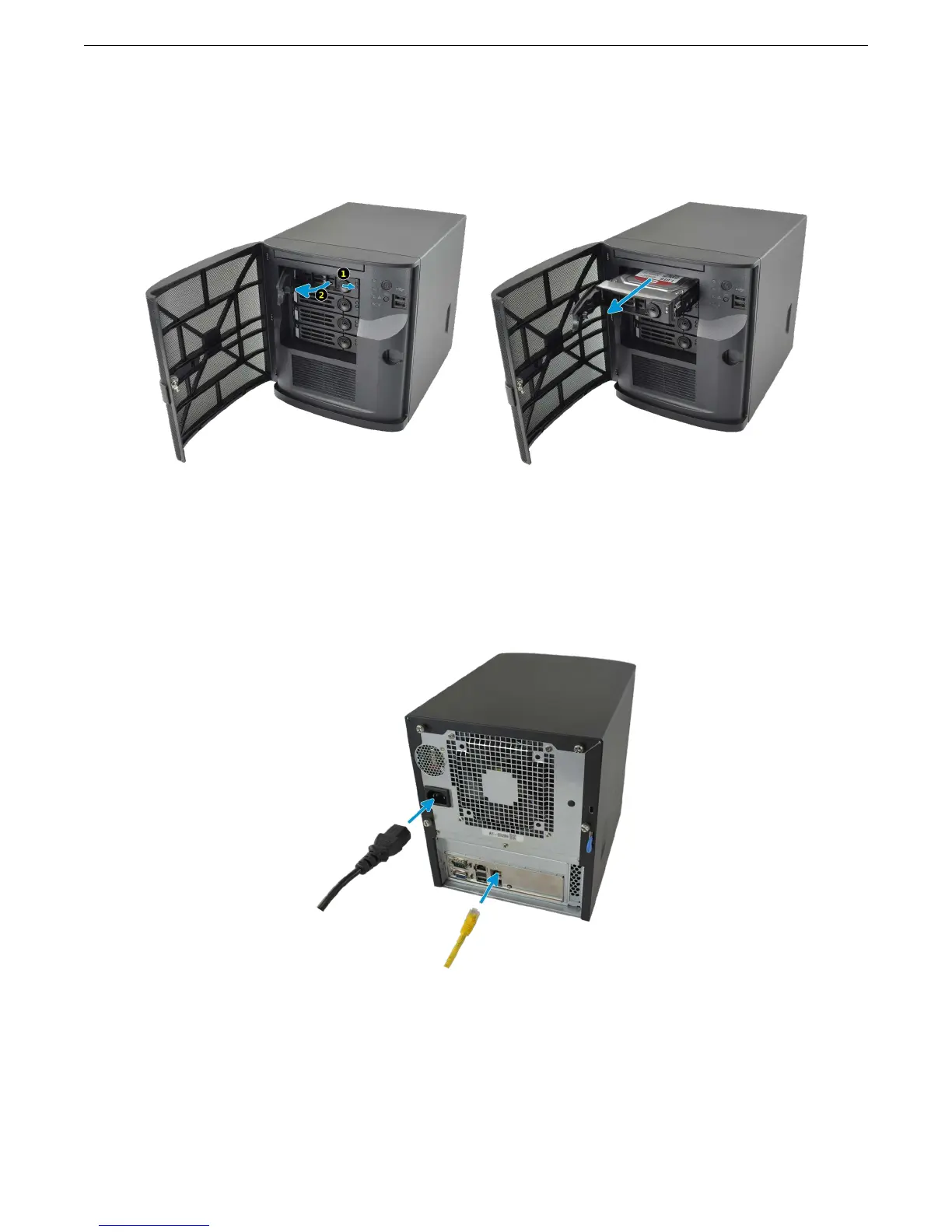
If a drive tray must be removed to replace a drive, release the latch by pushing the large circular button to the right.
Swing the latch to the left to eject the tray, then pull outwards on the latch to begin sliding the tray out. Grip the top
and bottom of the tray and gently remove it.
Connect Network and Power Cables
Connect the network cable to the router or switch and to the top Gigabit network port. Plug the power cable into
the Mini and a power outlet.
If remote management through IPMI is desired, connect a network cable to the IPMI network port. A VGA monitor
and USB keyboard can be connected for console access, but are not required.
5



 To Next Page